Multi-site edition Up to 400 people
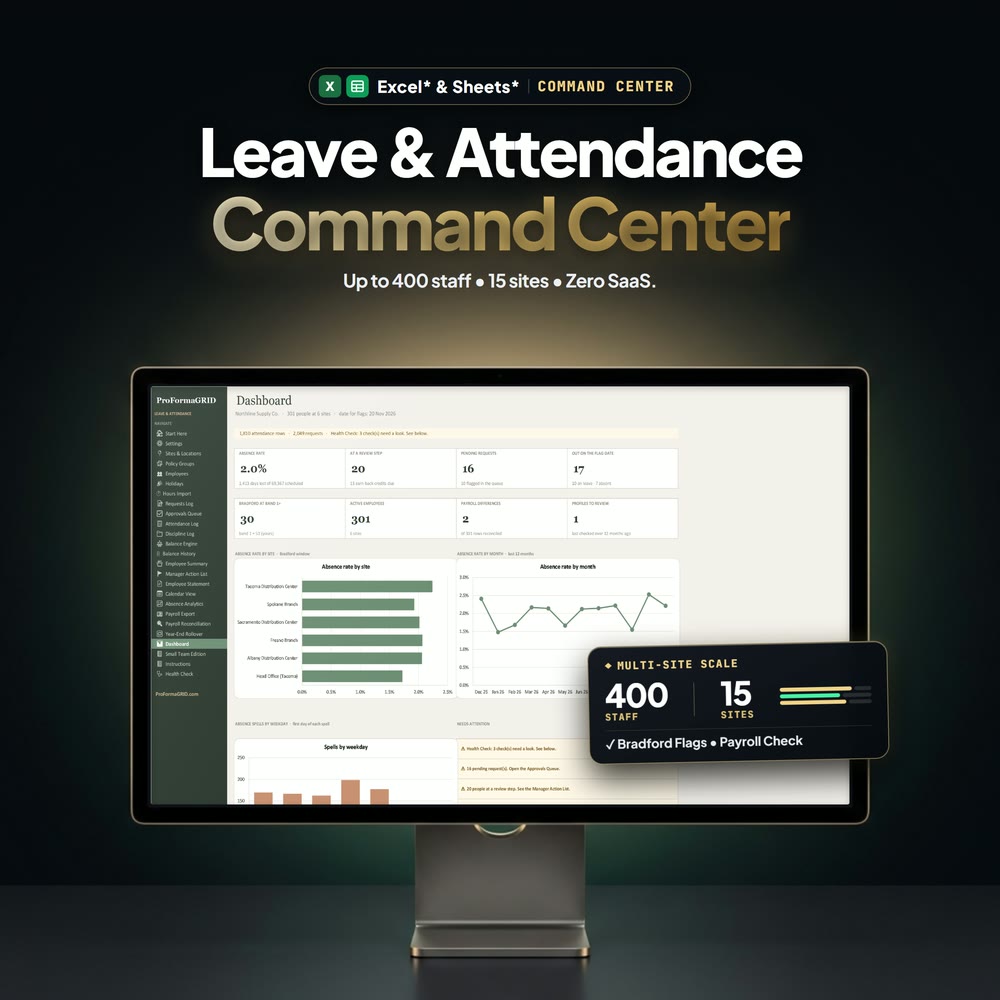
Leave & Attendance Command Center
Policy groups by location, an approvals queue and a payroll reconciliation.
$69.99
PTO Attendance Points Tracker
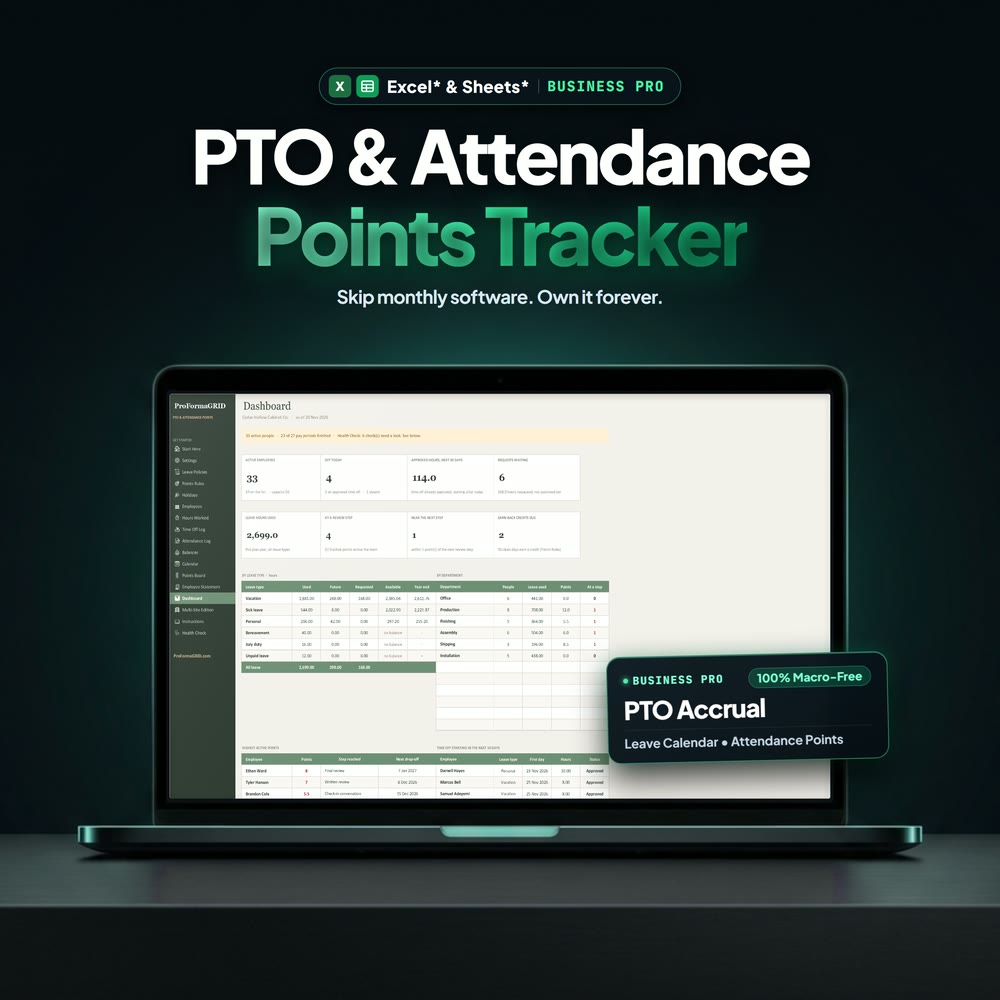
Type your leave policies and your points rules once, add your people and log time off and attendance as it happens. The workbook works out every balance pay period by pay period, shows who is off each day, and keeps each person's active points, review step and next drop-off date up to date.
Live workbook preview — pre-built formulas, charts, and formatting included.
Edition
Small team editionUp to 50 people$14.99Multi-site editionUp to 400 people · Leave & Attendance Command Center$69.99Excel* & Google Sheets*
Fill in Settings, Leave Policies, Points Rules, Holidays and Employees (about 45 minutes). Then add one row on the Time Off Log for each request and one row on the Attendance Log for each late, early leave or absence. Check Balances, the Calendar, the Points Board and the Dashboard whenever you need them, and print an Employee Statement for a review.
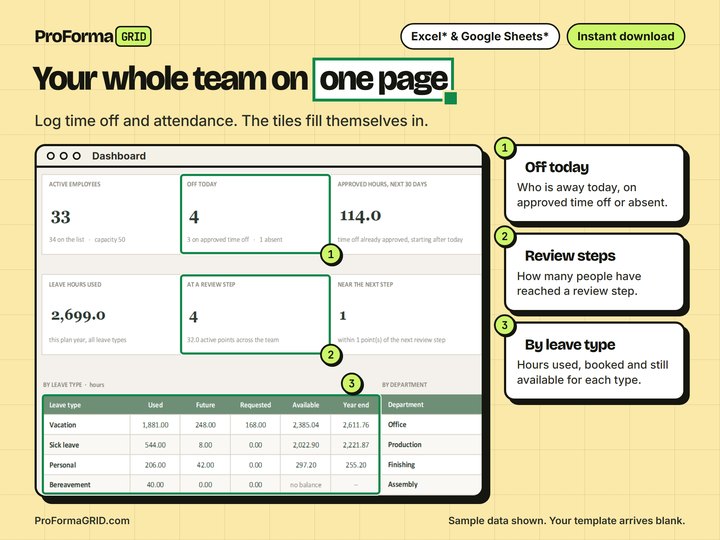
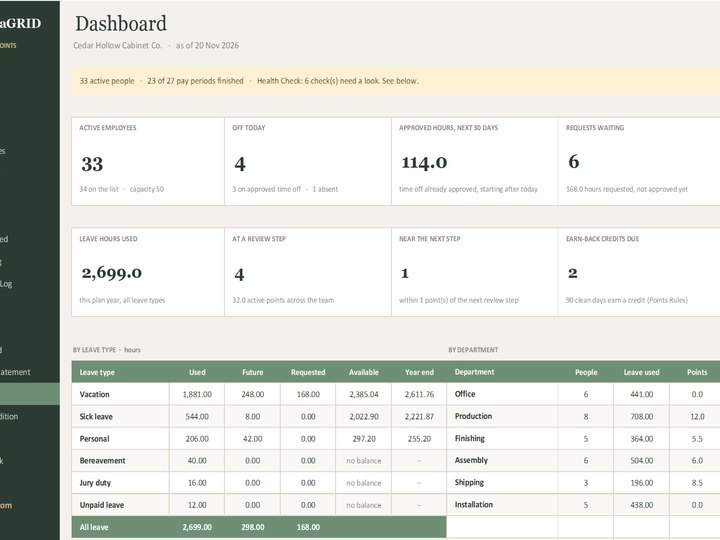
01 Dashboard
Who is off today, approved hours coming up, requests waiting, leave used by type and department, people at a review step and earn-back credits due.
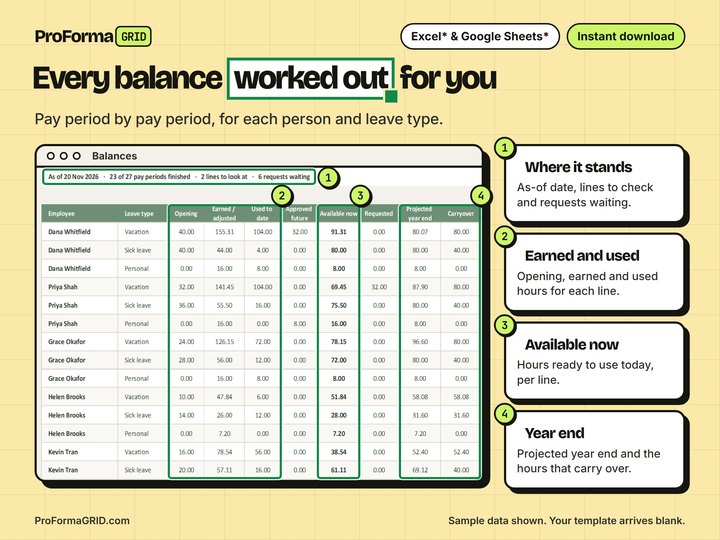
02 Balances
Opening, earned, used, available now and projected year end for each person and leave type, with what carries over and a check on every line.
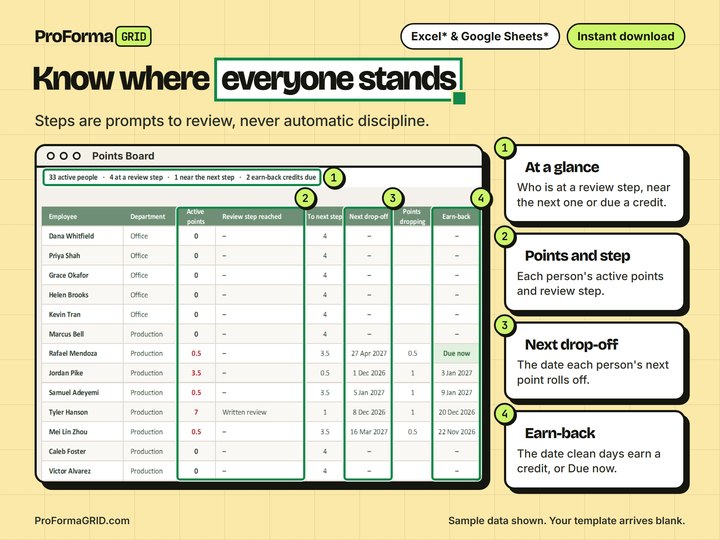
03 Points Board
Each person's active points, the review step reached, points to the next step, the next drop-off date and when an earn-back credit is due. A step is a prompt to review, never automatic discipline.
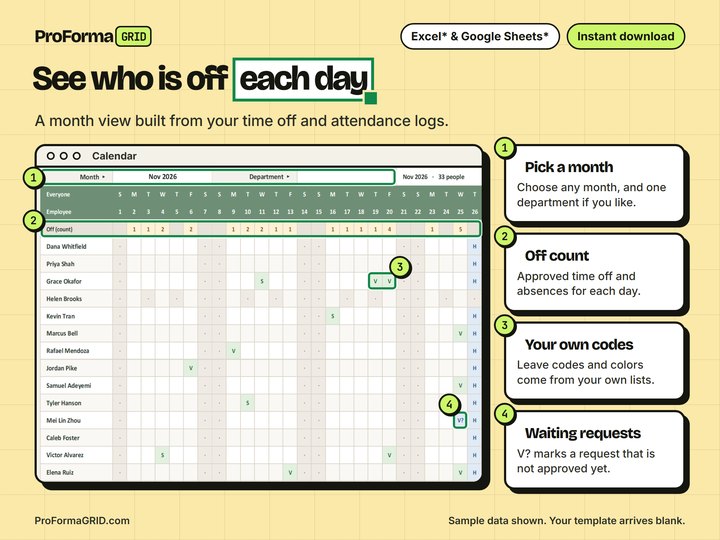
04 Calendar
Pick a month and, if you like, a department. Approved and requested time off and absences show with your own leave codes, with a count for each day.
17 pre-built, interconnected worksheets included in both Excel* and Google Sheets*.
Excel* & Google Sheets* digital bundle — ready for instant use
Instant digital download: your Microsoft Excel* (.xlsx) workbook, a one-click Google Sheets* copy link PDF and a step-by-step instructions PDF.
Up to 50 employees, 1,500 time-off rows and 2,500 attendance rows in one plan-year file, with three balance leave types and three hours-only types such as bereavement or jury duty.
No. You type the accrual rates, caps, carryover and point values your policy uses. The sample file shows example numbers only, and the workbook does not decide which absences are protected. Check your state and local rules.
No. When someone's active points reach a level you set, the Points Board shows the review step reached. What you do about it is up to you. Absences you mark as protected score zero points.
Yes. The Leave & Attendance Command Center covers up to 400 employees across 15 sites, with policy groups by location, an approvals queue, manager action lists, Bradford scores and a payroll reconciliation. The Multi-Site Edition tab inside this workbook shows it.
The PTO Attendance Points Tracker includes ready-to-use files for both Excel & Google Sheets. Every formula, chart, dashboard, and all 17 connected worksheets (Start Here, Settings, Leave Policies, Points Rules, Holidays, Employees, Hours Worked, Time Off Log, Attendance Log, Balances, Calendar, Points Board, Employee Statement, Dashboard, Multi-Site Edition, Instructions, Health Check) are pre-built and ready the moment you open your file.
Professionals, business owners, and individuals looking for a ready-to-use pto attendance points tracker in Microsoft Excel and Google Sheets. Fill in Settings, Leave Policies, Points Rules, Holidays and Employees (about 45 minutes). Then add one row on the Time Off Log for each request and one row on the Attendance Log for each late, early leave or absence. Check Balances, the Calendar, the Points Board and the Dashboard whenever you need them, and print an Employee Statement for a review.
It is a 100% one-time purchase ($14.99 USD) with lifetime personal or internal business use — zero recurring subscription fees, zero locked cells, and no add-ons required.
Immediately. Your download links appear right on your private order confirmation page seconds after checkout via credit card, Apple Pay, or Google Pay. Bookmark your order page to re-download anytime.
Excel*, Google Sheets* and YouTube* are trademarks of their respective owners.
Policy groups by location, an approvals queue and a payroll reconciliation.
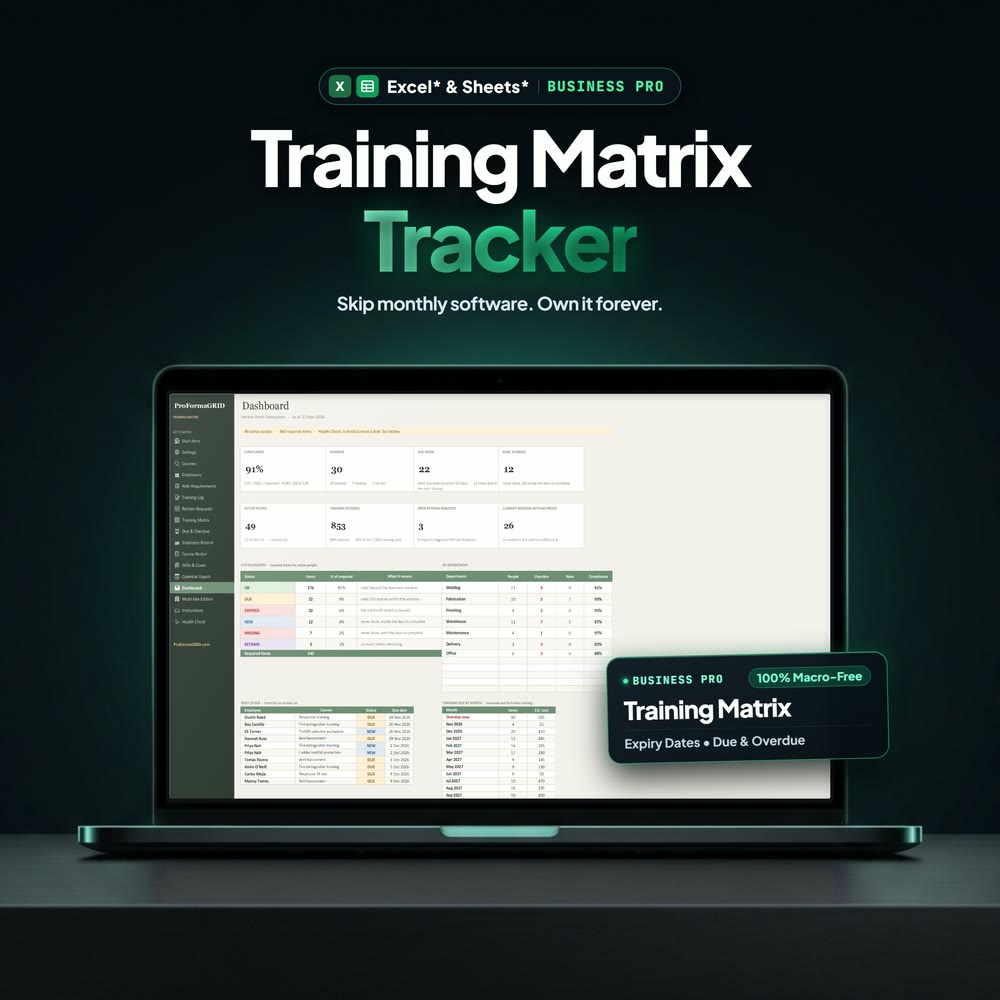
See who needs which training, who is done and what expires next, for a team of up to 60 people: a training matrix by role, a training log that keeps every renewal, due and overdue lists, employee records and course rosters. Microsoft Excel and Google Sheets. One payment, no subscription.
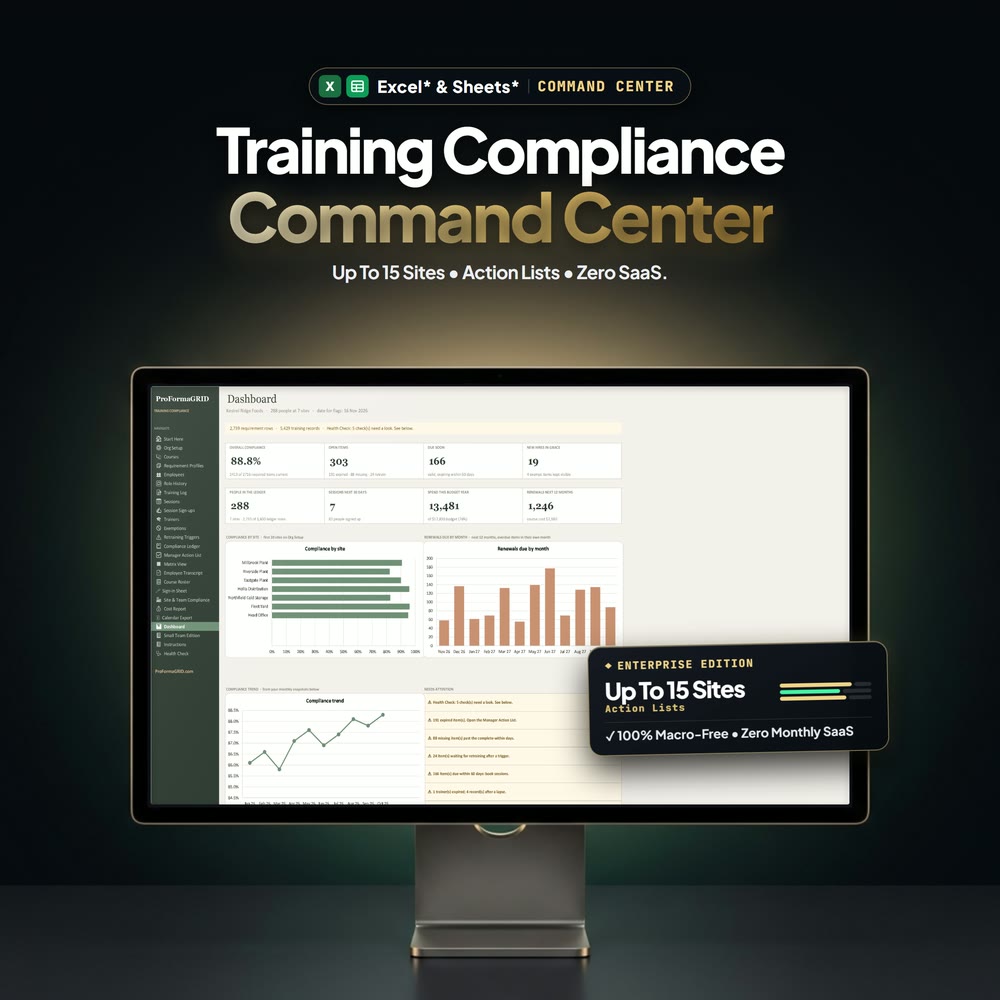
Requirement profiles by role and site, manager action lists and sessions.
Smaller edition · $14.99Training Matrix Tracker →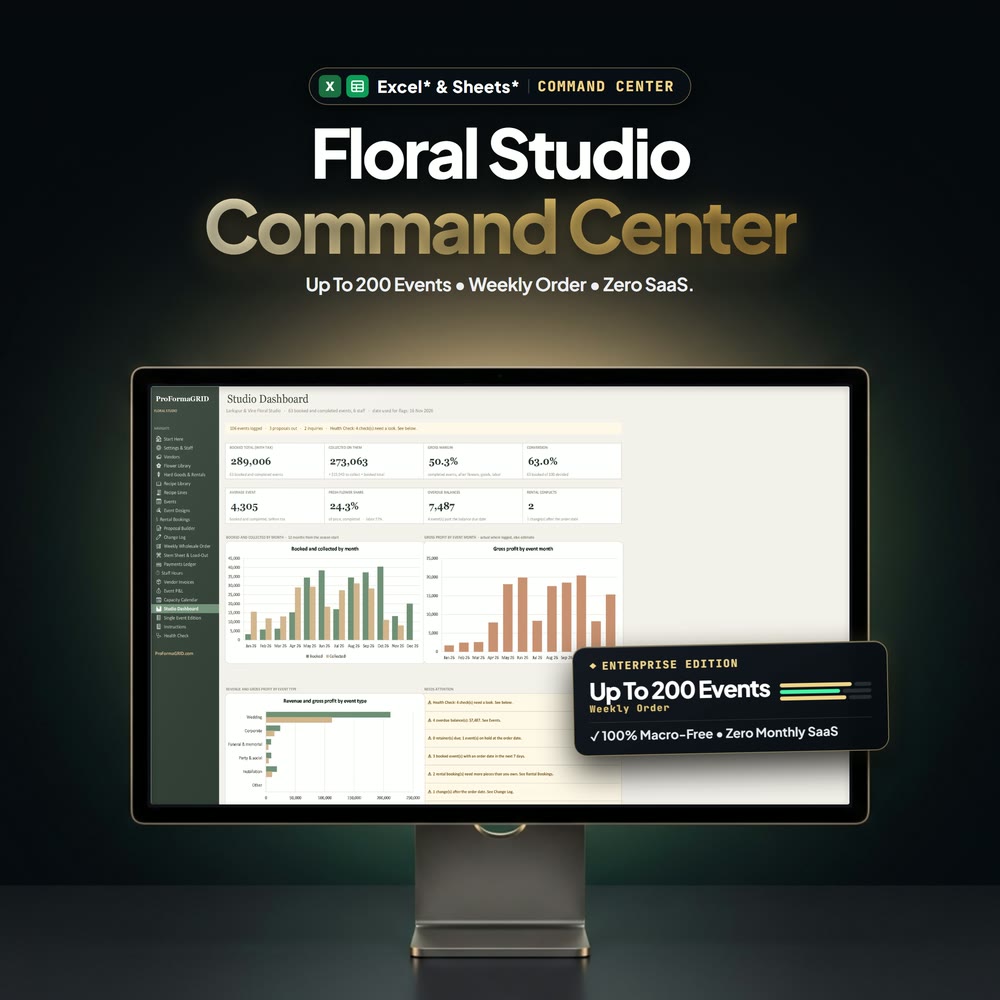
An events pipeline, a recipe library and one combined wholesale order a week.
Smaller edition · $16.99Wedding Florist Recipe Calculator →