Instant digital delivery · Secure Stripe & Etsy checkout · One-time purchase

ProFormaGRID

Floral Studio Command Center

Every event, recipe, weekly order and margin for your floral studio

Save each recipe once and reuse it across events. Pick a week and the workbook combines the stems for every booked event, adds loss, rounds up to whole units and groups the order by vendor with cutoff dates. It checks rentals against what you own, holds orders until payments are in and shows profit for every event against its estimate.

$69.99USD
One-time paymentDigital download

Excel* & Google Sheets*

  • 200 events a year with a saved library of 250 recipes reused across events
  • One weekly wholesale order across all booked events, by vendor and cutoff date
  • Rental conflicts by date, payments that gate ordering and a change log against the cutoff
  • Event profit against estimate, a capacity calendar and a studio dashboard
Explore the workbook ↓

Why you'll love working in this template

Set up the studio, staff and pricing on Settings & Staff, then vendors, your flower library and rentals. Save recipes in the Recipe Library. Log each inquiry on Events and add its designs from your recipes, then print the proposal. Each week, pick the date on Weekly Wholesale Order, log payments, hours and vendor invoices, and check the Studio Dashboard.

Jump to any worksheet

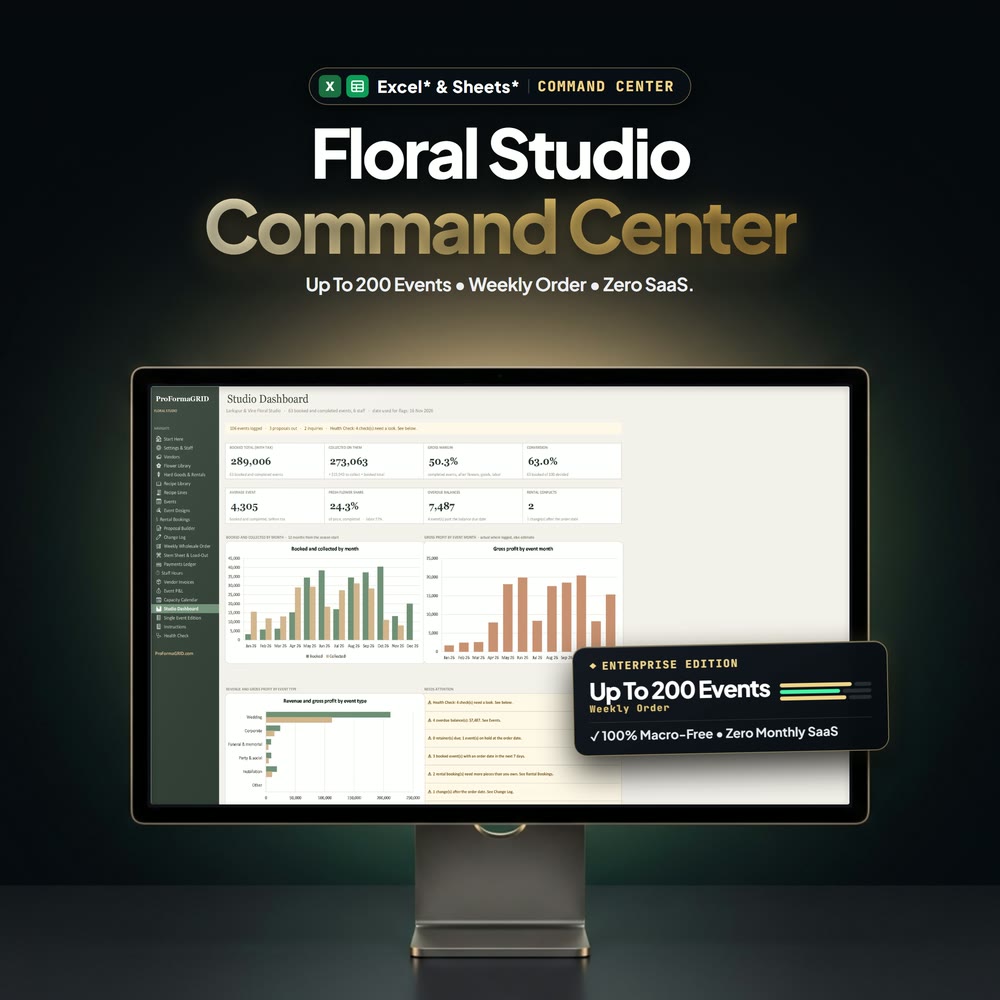
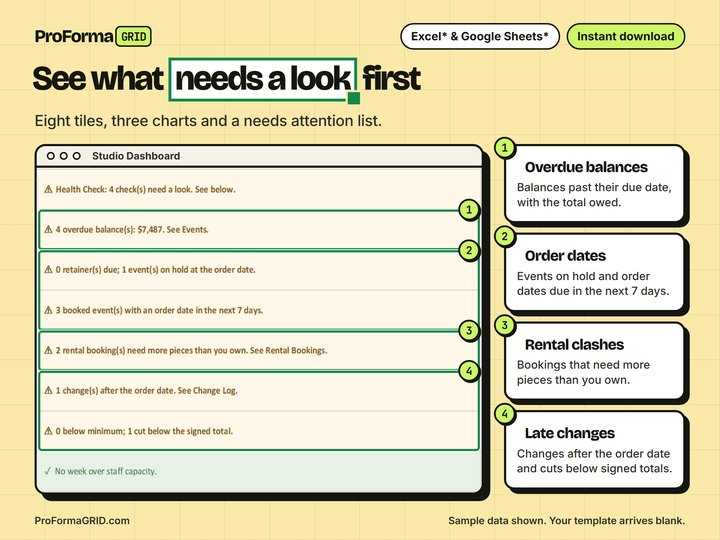
01 Studio Dashboard

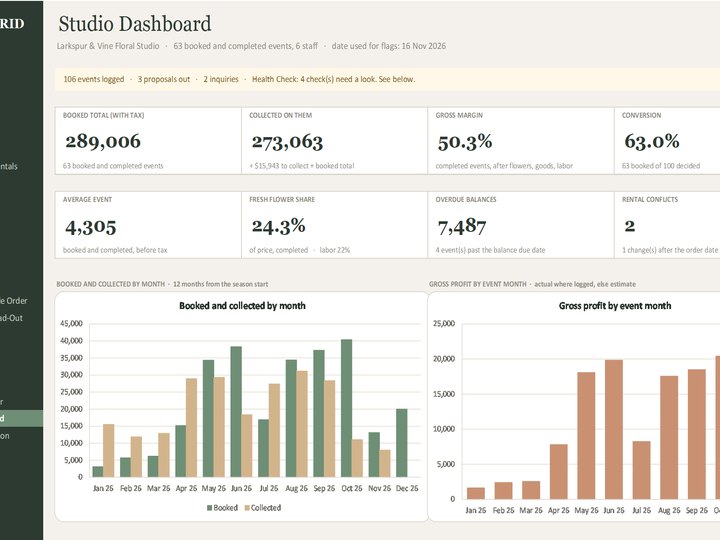
The whole studio on one page

Booked total, collected, gross margin, conversion, average event, fresh flower share, overdue balances and rental conflicts, with monthly charts, profit by event type, upcoming order dates and a needs-attention list.

02 Weekly Wholesale Order

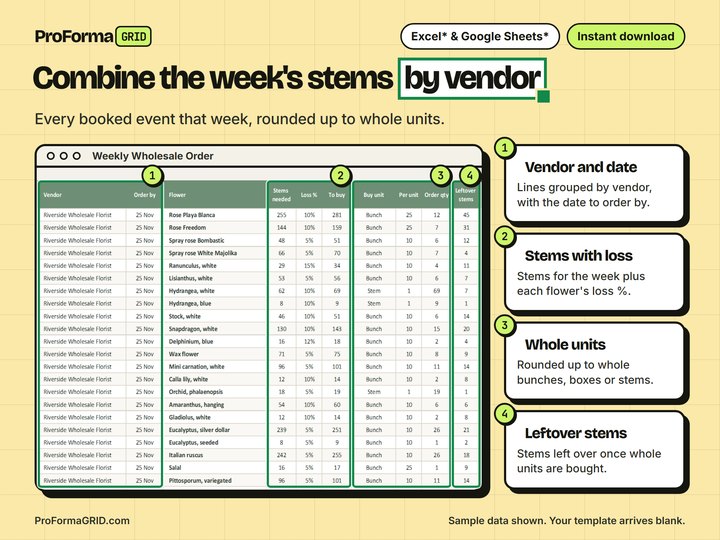
One order a week for every event

Pick any date in the week: stems for all booked events are combined by flower, loss added and rounded up to whole units, grouped by vendor with order-by dates, priority blooms, substitutes and leftover stems.

03 Event P&L

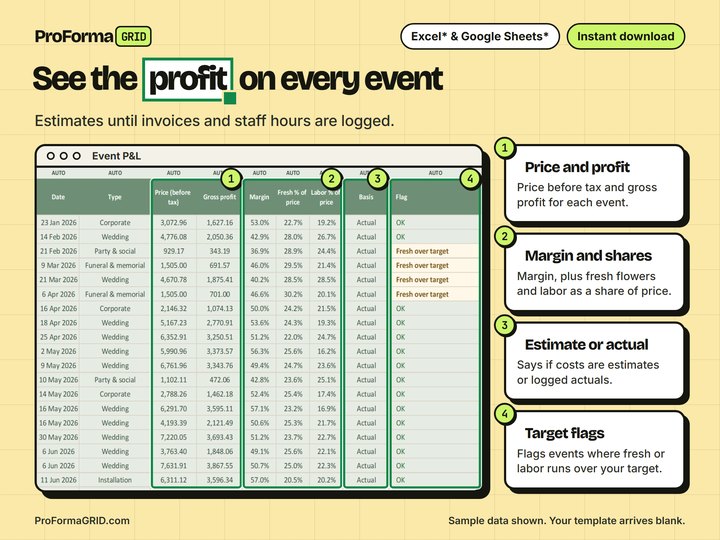
Profit for every event

Price, gross profit, margin, fresh flower and labor shares for each booked and completed event, using actual invoices and hours where you log them and the recipe estimate until then.

04 Events

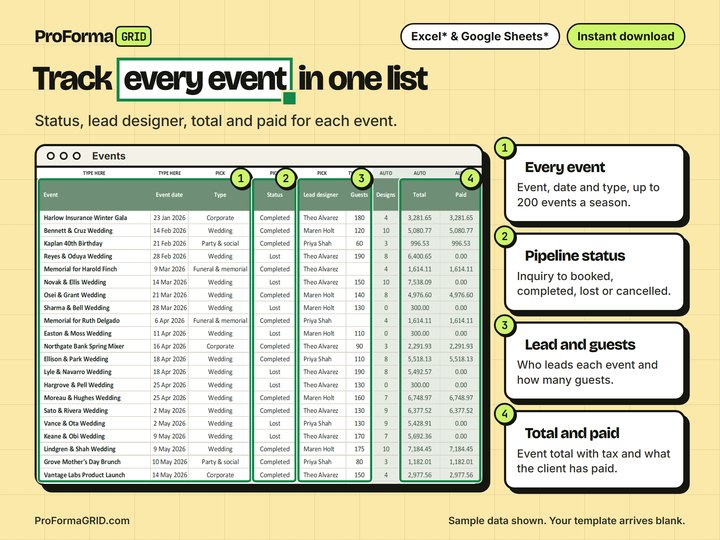
Every inquiry to every completed event

Date, type, status, lead designer, guests, total, paid, balance, payment status, whether it is OK to order and the next milestone for up to 200 events a year.

Floral Studio Command Center, screen by screen

$69.99USD

Inside the workbook

23 pre-built, interconnected worksheets included in both Excel* and Google Sheets*.

  • Start Here
  • Settings & Staff
  • Vendors
  • Flower Library
  • Hard Goods & Rentals
  • Recipe Library
  • Recipe Lines
  • Events
  • Event Designs
  • Rental Bookings
  • Proposal Builder
  • Change Log
  • Weekly Wholesale Order
  • Stem Sheet & Load-Out
  • Payments Ledger
  • Staff Hours
  • Vendor Invoices
  • Event P&L
  • Capacity Calendar
  • Studio Dashboard
  • Single Event Edition
  • Instructions
  • Health Check

Everything included in your download

Excel* & Google Sheets* digital bundle — ready for instant use

  • FloralStudioCommandCenter-Excel.xlsx
  • GoogleSheetsDownloadLink.pdf
  • Instructions.pdf

Instant digital download: your Microsoft Excel* (.xlsx) workbook, a one-click Google Sheets* copy link PDF and a step-by-step instructions PDF.

$69.99USD

Frequently asked questions

Contact support ↗
How big a studio does it hold?

Up to 200 events a year, 25 staff, 30 vendors, 500 flowers, 300 hard goods and rentals, 250 recipes with 2,500 recipe lines, 2,000 event design rows, 1,000 payments, 3,000 hour rows and 800 invoice lines in one file.

Are prices, markups or labor rates built in?

No. Your multipliers, labor method, delivery rates, loss %, tax rate, staff rates and flower prices are all typed by you. The sample file uses sample prices so you can see how it works.

Does it place orders or take payments?

No. It works out what to order and prints proposals, orders and stem sheets for you to use. It does not contact wholesalers, take payments or replace your accounting software, and it is not tax advice.

Is there a version for one wedding at a time?

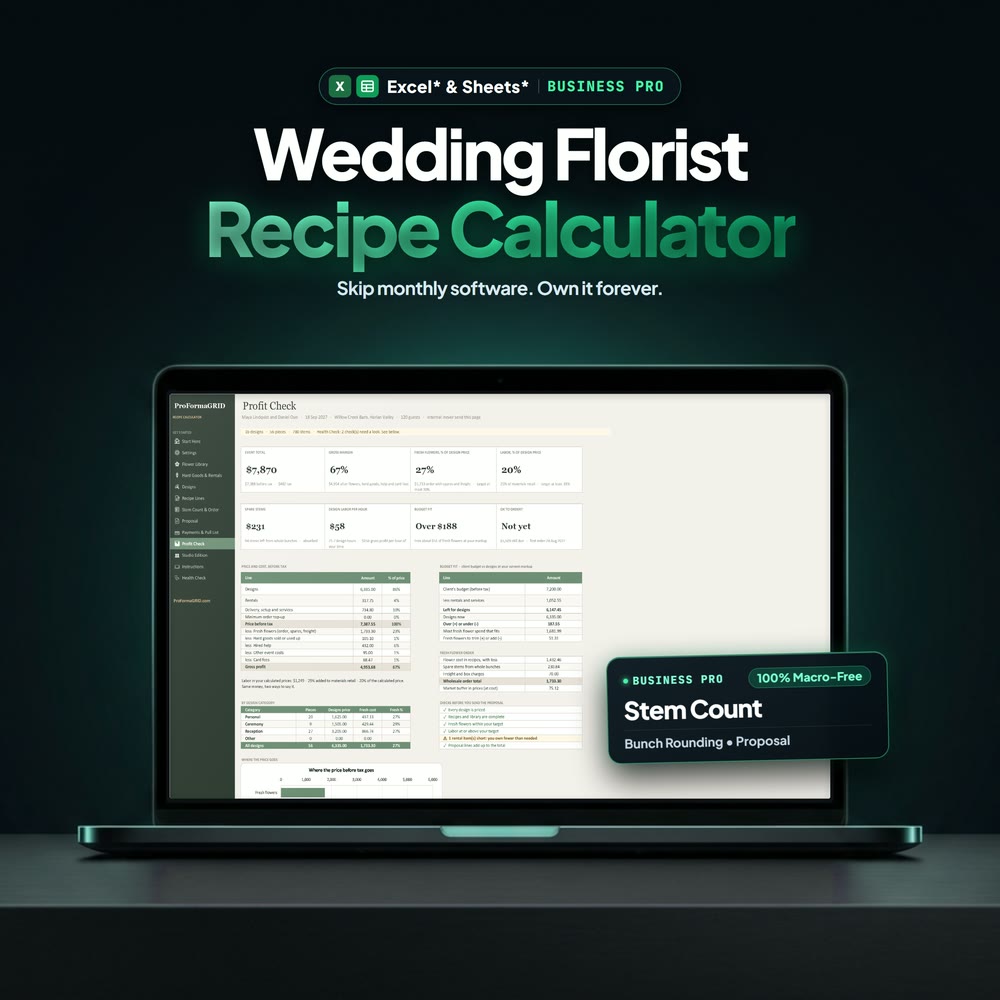
Yes. The Wedding Florist Recipe Calculator prices one wedding or event per file, with recipes, stem counts, the wholesale order, a client proposal and a profit check. The Single Event Edition tab inside this workbook shows it.

What spreadsheet software does the Floral Studio Command Center work with?

The Floral Studio Command Center includes ready-to-use files for both Excel & Google Sheets. Every formula, chart, dashboard, and all 23 connected worksheets (Start Here, Settings & Staff, Vendors, Flower Library, Hard Goods & Rentals, Recipe Library, Recipe Lines, Events, Event Designs, Rental Bookings, Proposal Builder, Change Log, Weekly Wholesale Order, Stem Sheet & Load-Out, Payments Ledger, Staff Hours, Vendor Invoices, Event P&L, Capacity Calendar, Studio Dashboard, Single Event Edition, Instructions, Health Check) are pre-built and ready the moment you open your file.

Who is the Floral Studio Command Center built for?

Professionals, business owners, and individuals looking for a ready-to-use floral studio command center in Microsoft Excel and Google Sheets. Set up the studio, staff and pricing on Settings & Staff, then vendors, your flower library and rentals. Save recipes in the Recipe Library. Log each inquiry on Events and add its designs from your recipes, then print the proposal. Each week, pick the date on Weekly Wholesale Order, log payments, hours and vendor invoices, and check the Studio Dashboard.

Is the Floral Studio Command Center a one-time purchase or a subscription?

It is a 100% one-time purchase ($69.99 USD) with lifetime personal or internal business use — zero recurring subscription fees, zero locked cells, and no add-ons required.

How fast do I receive my files after checkout?

Immediately. Your download links appear right on your private order confirmation page seconds after checkout via credit card, Apple Pay, or Google Pay. Bookmark your order page to re-download anytime.
Purchase information ↗

Floral Studio Command Center

$69.99USD

Excel*, Google Sheets* and YouTube* are trademarks of their respective owners.

Related templates

Zoom in to read the details. Drag to move.