Instant digital delivery · Secure Stripe & Etsy checkout · One-time purchase

ProFormaGRID

Trucking Fleet Command Center

See which trucks carry the fleet and pay every driver right

Log loads, fuel, state miles, expenses and deductions once, tagged by truck and driver. The workbook builds profit and loss for every truck, prints weekly settlement statements, keeps escrow, prepares the fleet IFTA quarter and flags overdue maintenance, expiring documents and slow-paying brokers.

$59.99USD
One-time paymentDigital download

Excel* & Google Sheets*

  • Profit, cost per mile and revenue per mile for each of up to 20 trucks, ranked
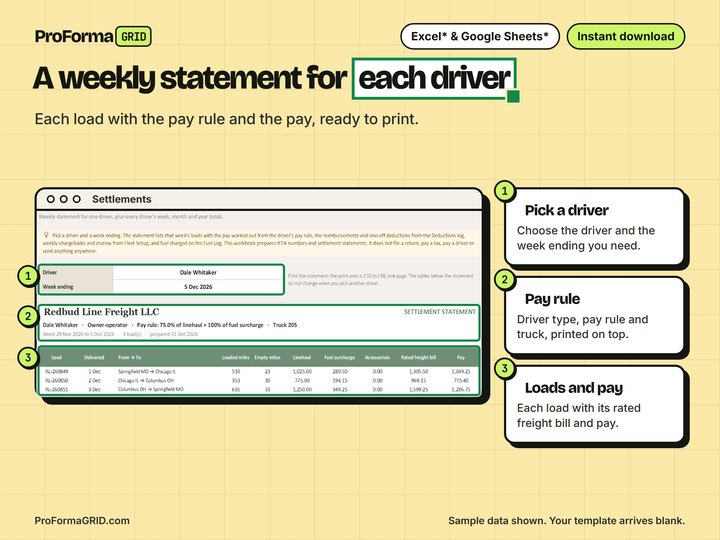
  • Weekly settlement statements by pay rule, with deductions, reimbursements and an escrow ledger
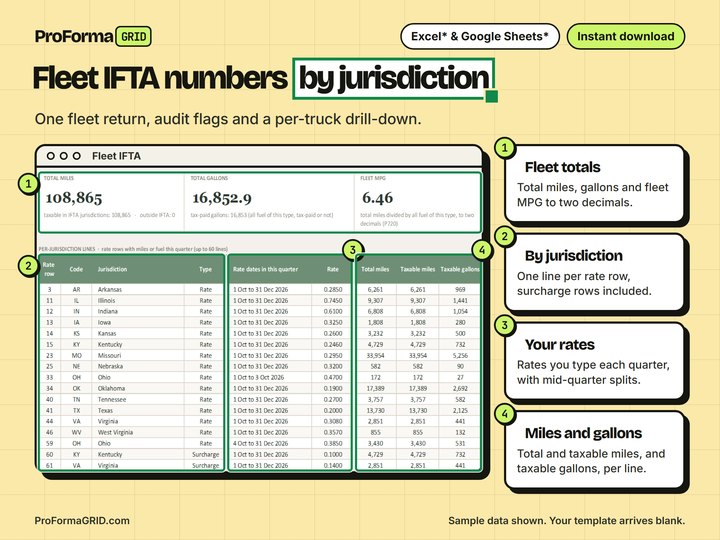
  • One fleet IFTA quarter with audit flags and a per-truck drill-down, using the rates you type
  • Maintenance by truck, document deadlines, A/R aging with factoring and a broker scorecard
Explore the workbook ↓

Why you'll love working in this template

Set up your trucks, drivers and pay rules on Fleet Setup. Each day, log loads, fuel and state miles from your ELD. Each week, pick a driver and print the settlement statement. Each quarter, type the IFTA rates and clear the audit flags. The Fleet Dashboard shows profit, cash owed and what needs attention.

Jump to any worksheet

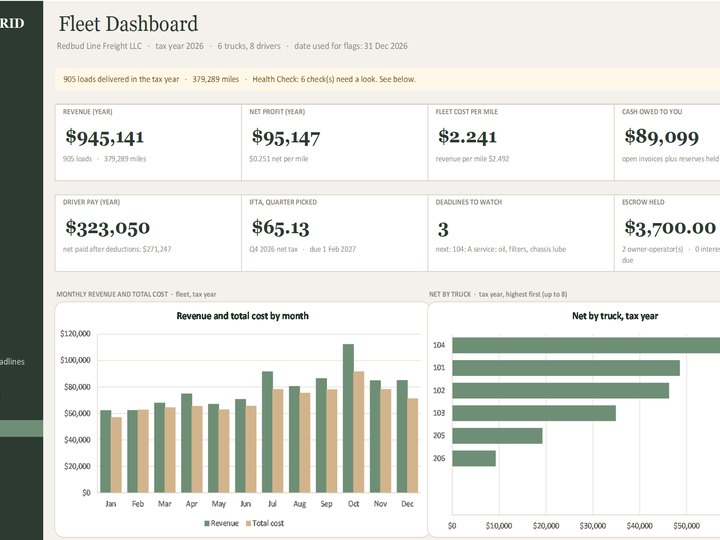
01 Fleet Dashboard

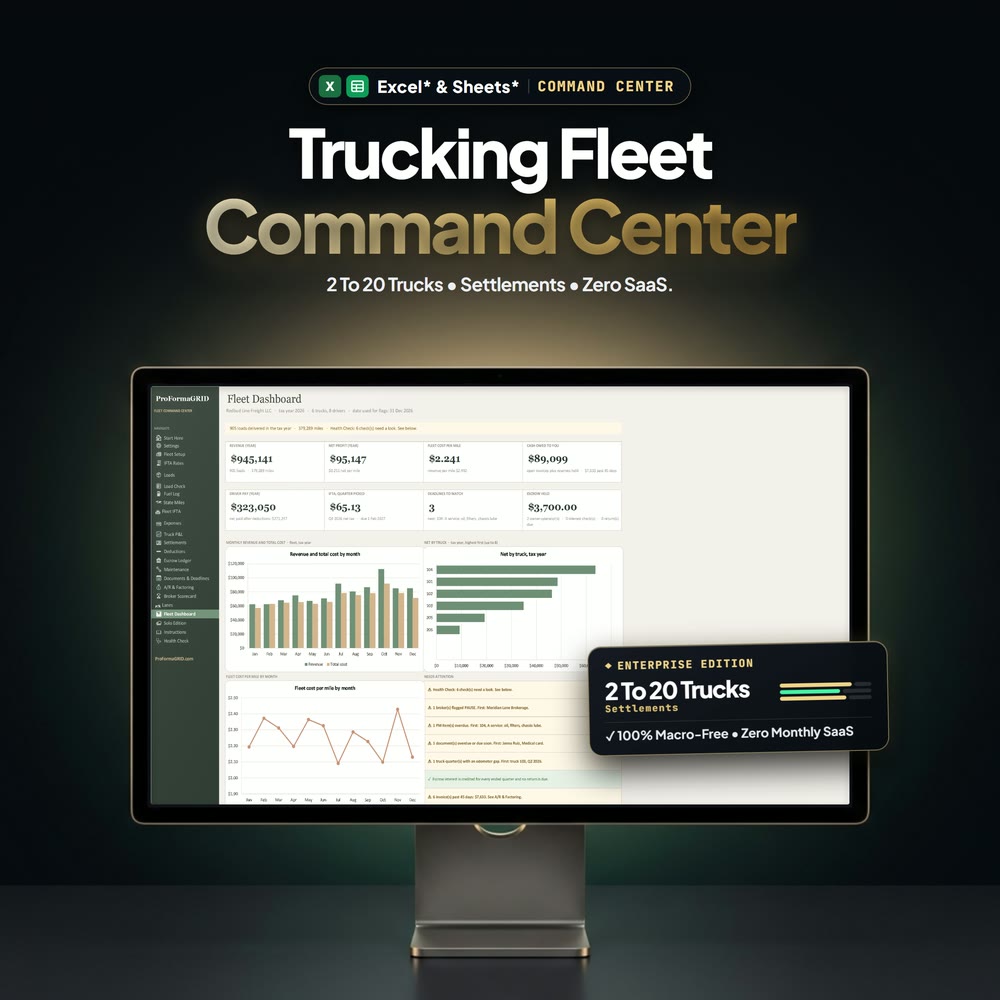
Fleet profit, cash owed and what needs attention

Revenue, net profit, fleet cost per mile, cash owed, driver pay, the IFTA quarter, deadlines and escrow held, with monthly charts, net by truck and a list of everything that needs a look.

02 Truck P&L

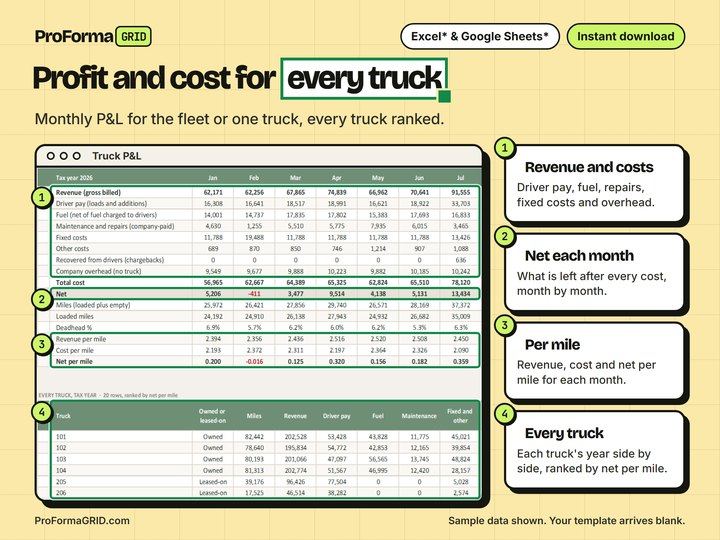
Know which trucks earn and which ones cost you

Revenue, fuel, maintenance, fixed costs, driver pay and net for each truck, with cost and revenue per mile and a ranking from best to worst.

03 Settlements

Print a clear weekly statement for every driver

Pick a driver and a week: the loads, pay by the driver's pay rule, the rated freight bill for percentage pay, reimbursements, deductions and net pay on one printable page.

04 Fleet IFTA

One fleet IFTA quarter, checked before you file

Miles, taxable and tax-paid gallons and tax by jurisdiction with fleet MPG to two decimals, audit flags and a drill-down for each truck. It prepares numbers for your state portal and does not file.

Trucking Fleet Command Center, screen by screen

$59.99USD

Inside the workbook

23 pre-built, interconnected worksheets included in both Excel* and Google Sheets*.

  • Start Here
  • Settings
  • Fleet Setup
  • IFTA Rates
  • Loads
  • Load Check
  • Fuel Log
  • State Miles
  • Fleet IFTA
  • Expenses
  • Truck P&L
  • Settlements
  • Deductions
  • Escrow Ledger
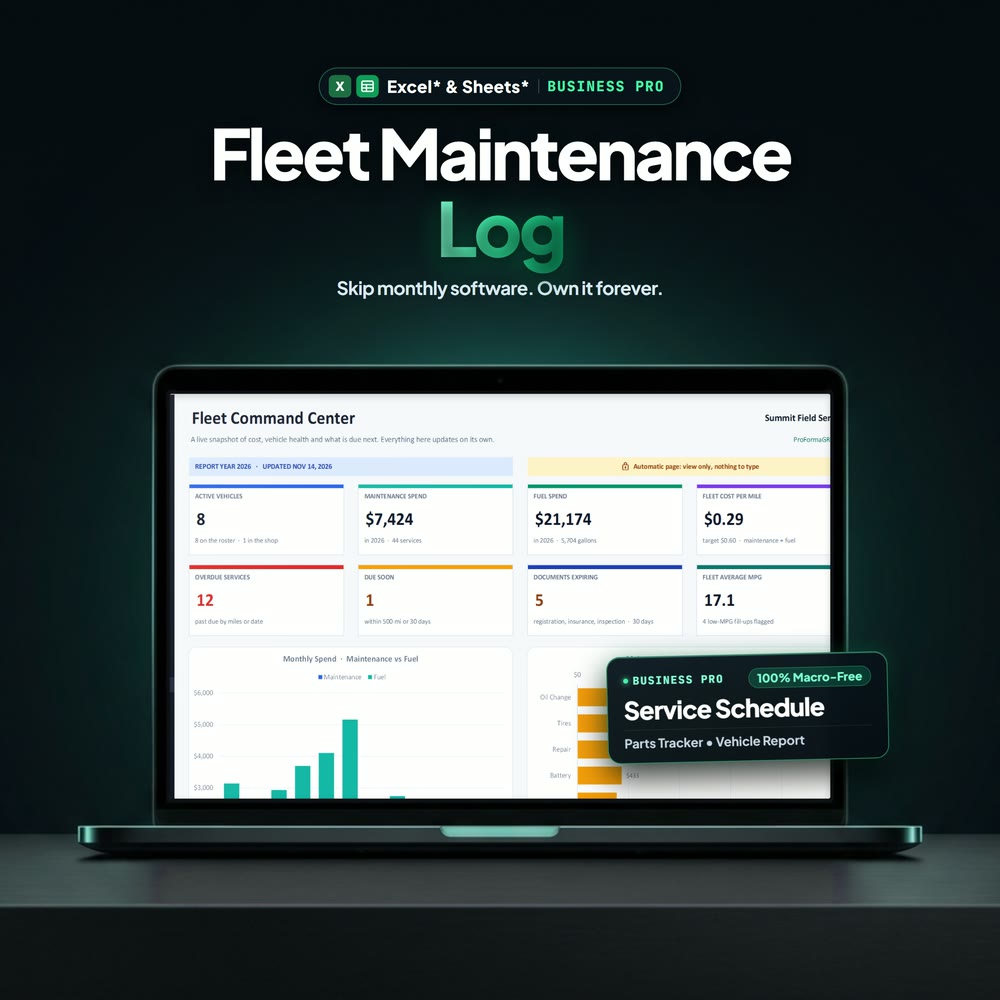
  • Maintenance
  • Documents & Deadlines
  • A/R & Factoring
  • Broker Scorecard
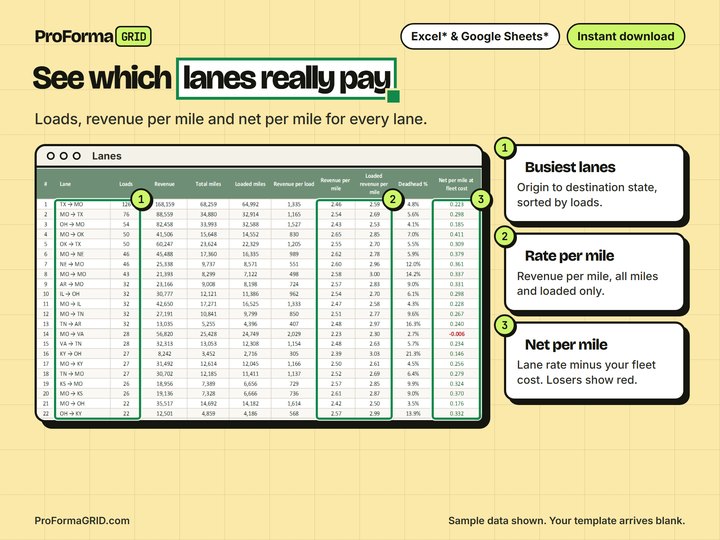
  • Lanes
  • Fleet Dashboard
  • Solo Edition
  • Instructions
  • Health Check

Everything included in your download

Excel* & Google Sheets* digital bundle — ready for instant use

  • TruckingFleetCommandCenter-Excel.xlsx
  • GoogleSheetsDownloadLink.pdf
  • Instructions.pdf

Instant digital download: your Microsoft Excel* (.xlsx) workbook, a one-click Google Sheets* copy link PDF and a step-by-step instructions PDF.

$59.99USD

Frequently asked questions

Contact support ↗
How many trucks and drivers does it hold?

Up to 20 trucks, 30 drivers and 15 trailers, with 2,000 loads, 3,000 fuel receipts, 6,000 state mile rows and 3,000 expenses in one tax year.

Does it pay drivers or file IFTA?

No. It works out settlement statements and IFTA numbers for you to check, print and enter yourself. It does not pay anyone, file anything or give tax advice.

Can it handle leased-on owner-operators?

Yes. Pay can be a percentage of linehaul, with the rated freight bill shown on the statement, plus recurring chargebacks and an escrow ledger with interest and the return date.

Is there a version for one truck?

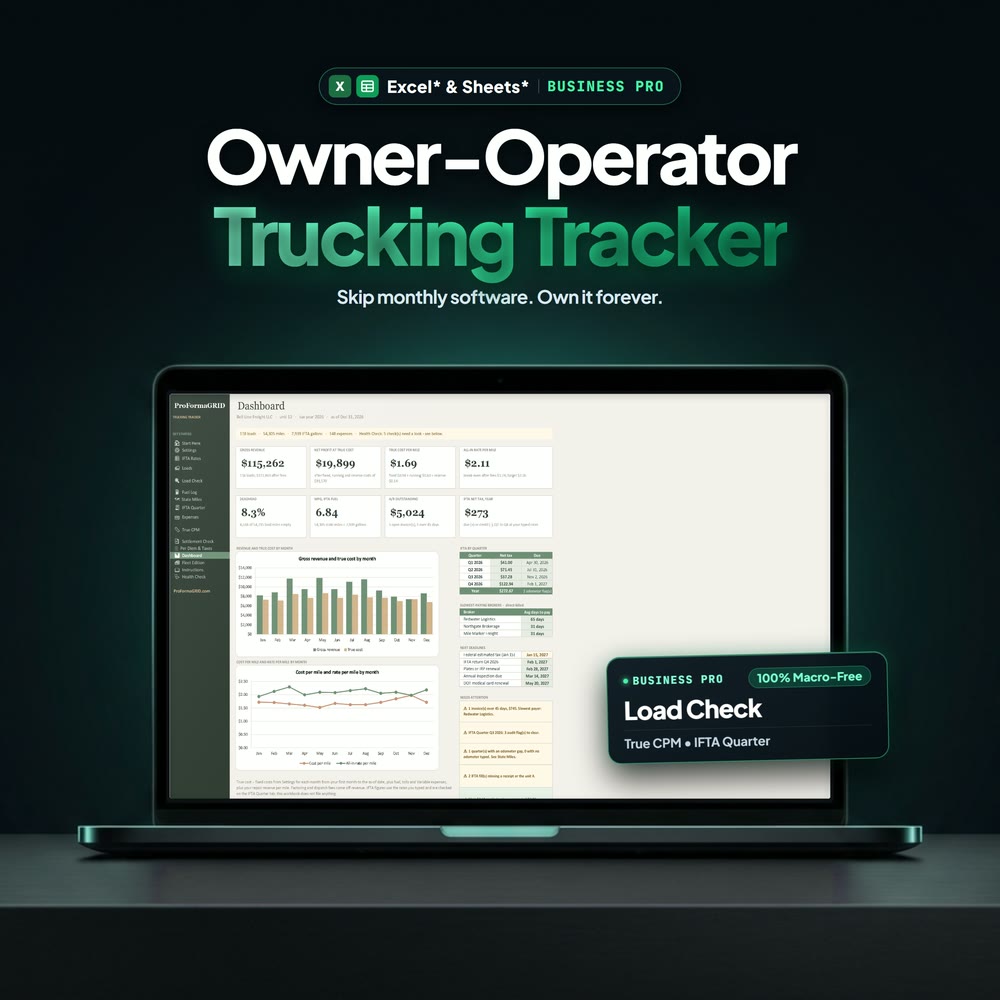
Yes. The Owner-Operator Trucking Tracker is the one-truck edition with loads, a load check, IFTA, true cost per mile and per diem. The Solo Edition tab inside this workbook shows it.

What spreadsheet software does the Trucking Fleet Command Center work with?

The Trucking Fleet Command Center includes ready-to-use files for both Excel & Google Sheets. Every formula, chart, dashboard, and all 23 connected worksheets (Start Here, Settings, Fleet Setup, IFTA Rates, Loads, Load Check, Fuel Log, State Miles, Fleet IFTA, Expenses, Truck P&L, Settlements, Deductions, Escrow Ledger, Maintenance, Documents & Deadlines, A/R & Factoring, Broker Scorecard, Lanes, Fleet Dashboard, Solo Edition, Instructions, Health Check) are pre-built and ready the moment you open your file.

Who is the Trucking Fleet Command Center built for?

Professionals, business owners, and individuals looking for a ready-to-use trucking fleet command center in Microsoft Excel and Google Sheets. Set up your trucks, drivers and pay rules on Fleet Setup. Each day, log loads, fuel and state miles from your ELD. Each week, pick a driver and print the settlement statement. Each quarter, type the IFTA rates and clear the audit flags. The Fleet Dashboard shows profit, cash owed and what needs attention.

Is the Trucking Fleet Command Center a one-time purchase or a subscription?

It is a 100% one-time purchase ($59.99 USD) with lifetime personal or internal business use — zero recurring subscription fees, zero locked cells, and no add-ons required.

How fast do I receive my files after checkout?

Immediately. Your download links appear right on your private order confirmation page seconds after checkout via credit card, Apple Pay, or Google Pay. Bookmark your order page to re-download anytime.
Purchase information ↗

Trucking Fleet Command Center

$59.99USD

Excel*, Google Sheets* and YouTube* are trademarks of their respective owners.

Related templates

Zoom in to read the details. Drag to move.