Fleet edition 2 to 20 trucks
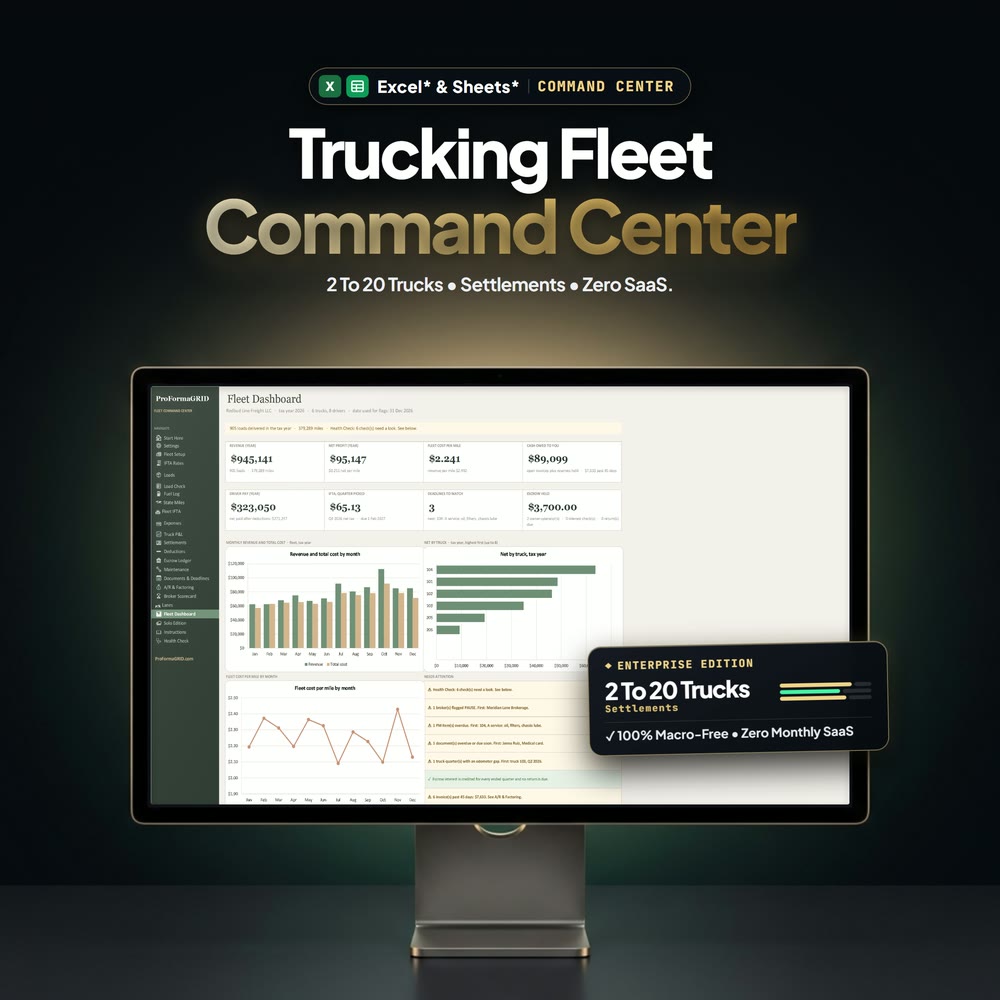
Trucking Fleet Command Center
Profit per truck, weekly driver settlements with escrow, and fleet IFTA.
$59.99
Owner-Operator Trucking Tracker
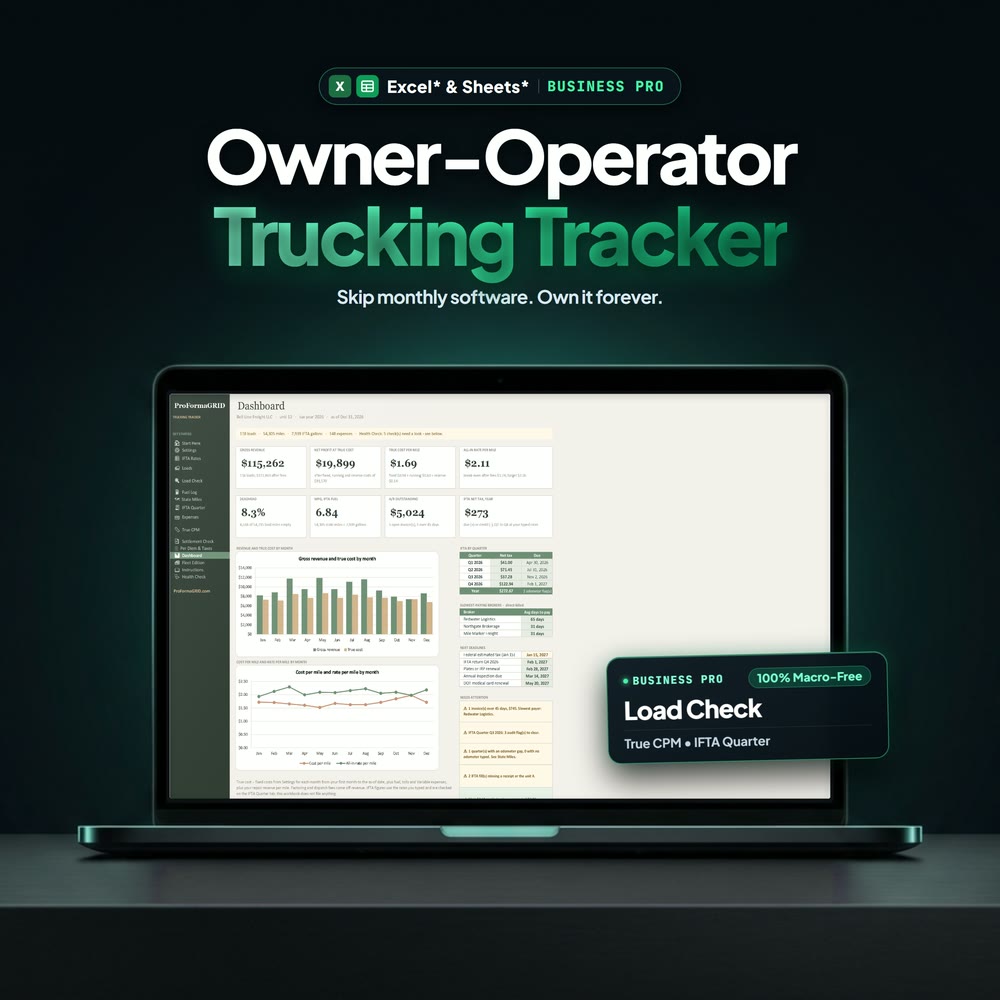
Log loads, fuel, state miles and expenses for one truck. The tracker works out your true cost per mile, grades a load before you accept it, and prepares your quarterly IFTA numbers with audit flags to clear before you type them into your state portal.
Live workbook preview — pre-built formulas, charts, and formatting included.
Excel* & Google Sheets*
Type your truck, fixed costs and fees on Settings once. After each load, add a row on Loads, every fuel receipt on Fuel Log and the miles by state from your ELD, GPS or trip sheet. Before you book, run the load through Load Check. At quarter end, type the quarter's IFTA rates, pick the quarter and clear the amber flags.
01 Dashboard
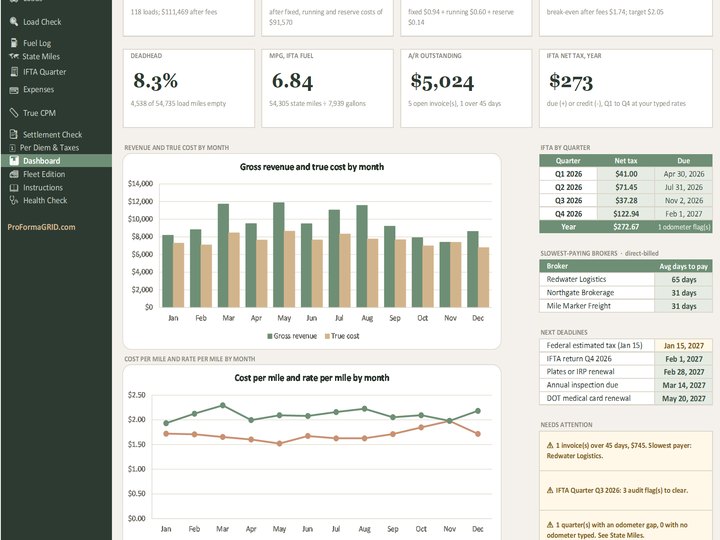
Eight tiles for revenue, profit, cost and rate per mile, deadhead, MPG, money owed and IFTA for the year, with monthly charts, the slowest-paying brokers and your next deadlines.
02 Load Check
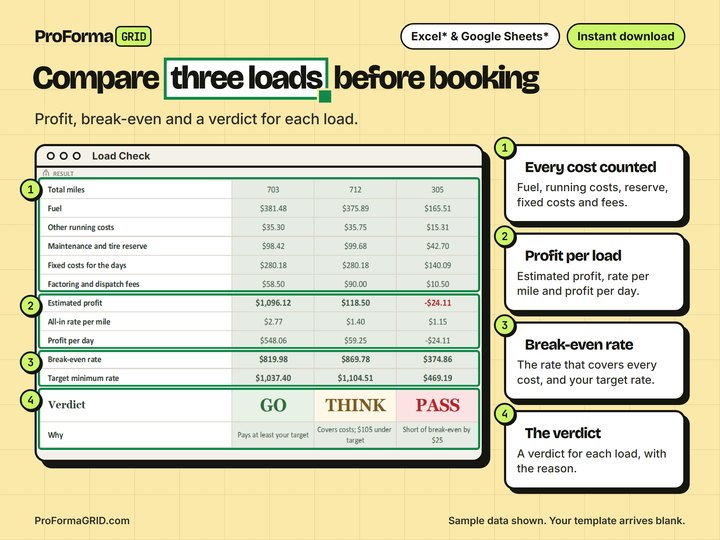
Type the rate, loaded and deadhead miles, fuel price, MPG, tolls and days. It shows estimated profit, all-in rate per mile, profit per day, your break-even and target rates, and GO, THINK or PASS.
03 IFTA Quarter
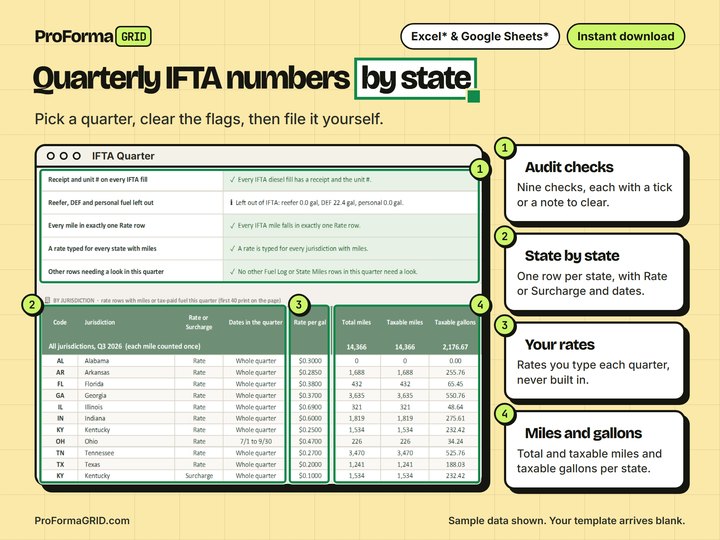
Miles, taxable and tax-paid gallons and tax by jurisdiction, the due date and nine audit flags such as an odometer gap or fuel bought where no miles were logged. It prepares numbers for your state portal and does not file.
04 True CPM
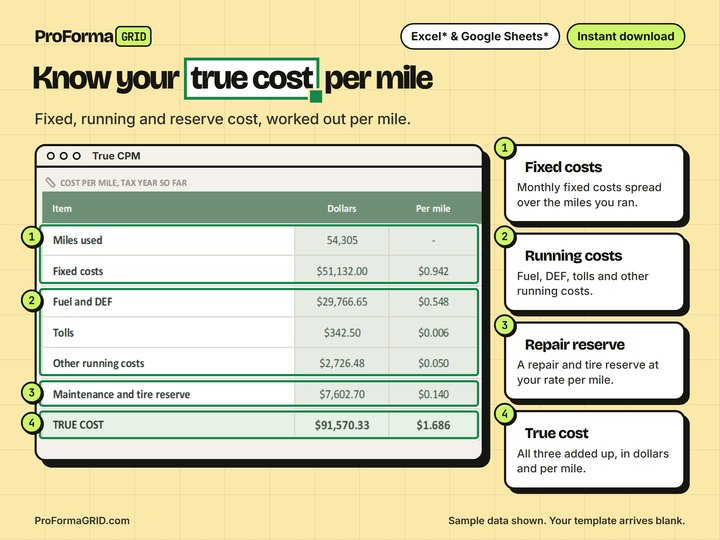
Fixed costs over the miles you actually ran, fuel, tolls and running costs, plus a repair and tire reserve at your rate, compared with what you really spent on repairs over the last 12 months.
16 pre-built, interconnected worksheets included in both Excel* and Google Sheets*.
Excel* & Google Sheets* digital bundle — ready for instant use
Instant digital download: your Microsoft Excel* (.xlsx) workbook, a one-click Google Sheets* copy link PDF and a step-by-step instructions PDF.
No. It prepares the miles, gallons and tax for each jurisdiction and checks them, so you can type them into your base state's IFTA portal. It does not file anything and it is not tax advice.
You type them each quarter from the IFTA, Inc. tax rate matrix. Rates change every quarter, so nothing is built in. Date windows handle a mid-quarter change and surcharge rows handle states such as Kentucky and Virginia.
Yes. The Settlement Check tab compares each settlement with your own load log, separates recurring and one-off deductions and keeps an escrow balance.
Yes. The Trucking Fleet Command Center runs 2 to 20 trucks with profit per truck, driver settlements, escrow, maintenance and a fleet IFTA quarter. The Fleet Edition tab inside this workbook shows it.
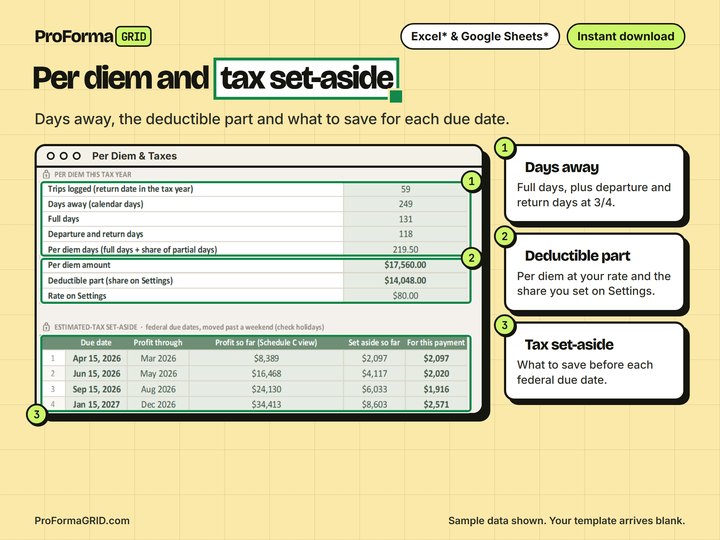
The Owner-Operator Trucking Tracker includes ready-to-use files for both Excel & Google Sheets. Every formula, chart, dashboard, and all 16 connected worksheets (Start Here, Settings, IFTA Rates, Loads, Load Check, Fuel Log, State Miles, IFTA Quarter, Expenses, True CPM, Settlement Check, Per Diem & Taxes, Dashboard, Fleet Edition, Instructions, Health Check) are pre-built and ready the moment you open your file.
Professionals, business owners, and individuals looking for a ready-to-use owner-operator trucking tracker in Microsoft Excel and Google Sheets. Type your truck, fixed costs and fees on Settings once. After each load, add a row on Loads, every fuel receipt on Fuel Log and the miles by state from your ELD, GPS or trip sheet. Before you book, run the load through Load Check. At quarter end, type the quarter's IFTA rates, pick the quarter and clear the amber flags.
It is a 100% one-time purchase ($14.99 USD) with lifetime personal or internal business use — zero recurring subscription fees, zero locked cells, and no add-ons required.
Immediately. Your download links appear right on your private order confirmation page seconds after checkout via credit card, Apple Pay, or Google Pay. Bookmark your order page to re-download anytime.
Excel*, Google Sheets* and YouTube* are trademarks of their respective owners.
Profit per truck, weekly driver settlements with escrow, and fleet IFTA.
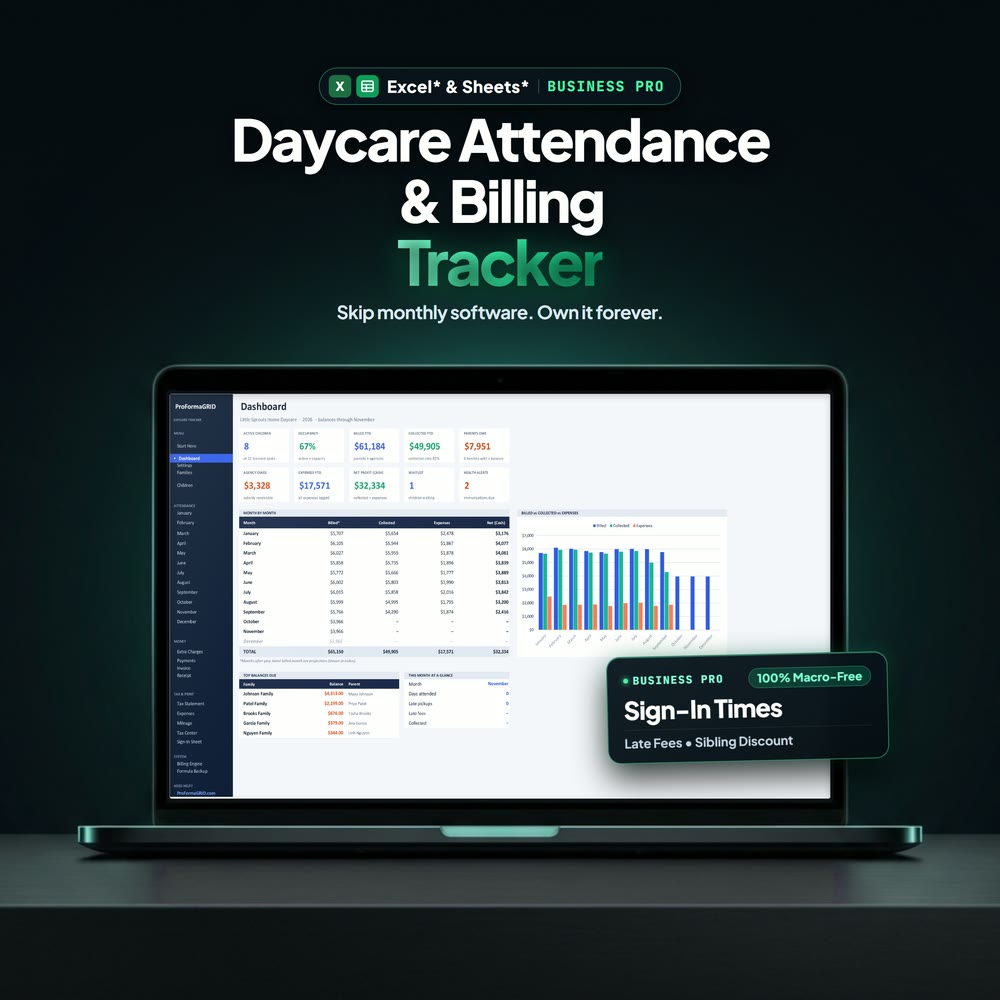
Turn daily child check-ins and late pickups into instant monthly tuition invoices, parent receipts & agency balances.
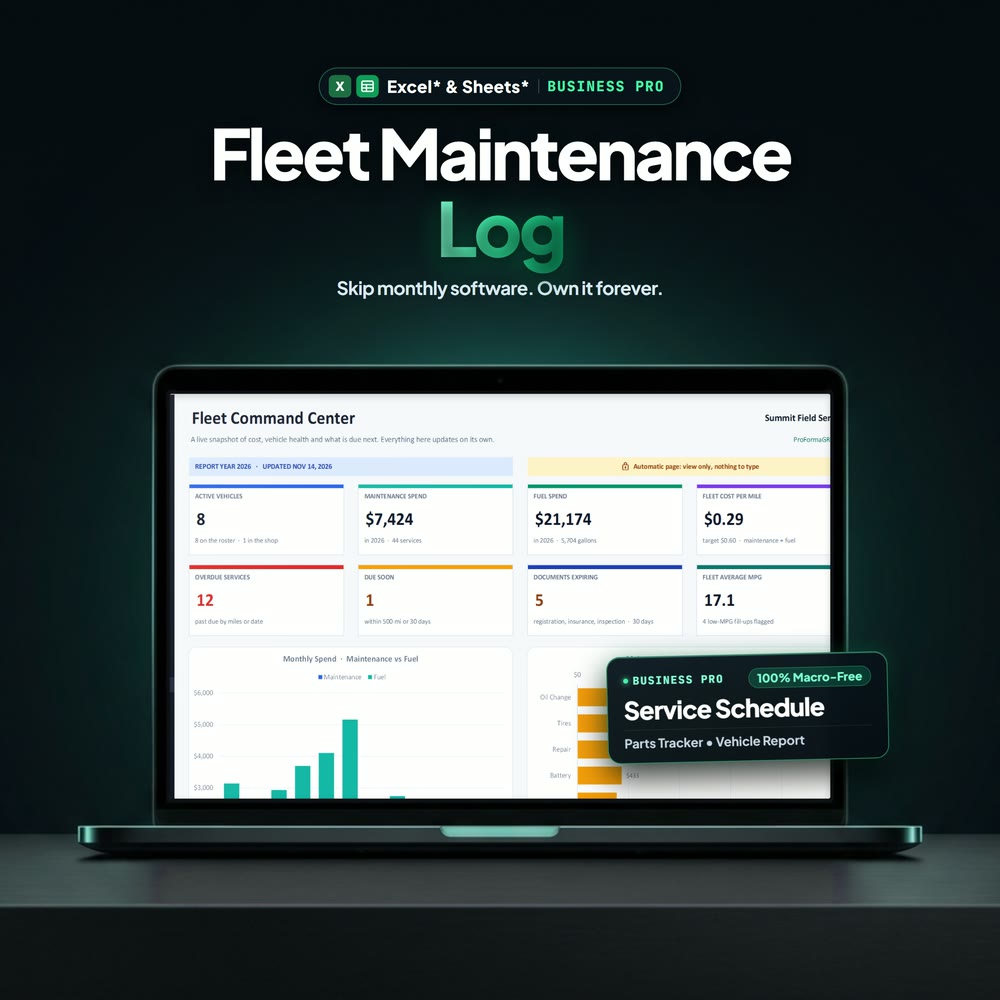
Keep up to 50 vehicles road-ready with automated service alerts, repair work orders, MPG logs & cost-per-mile tracking.
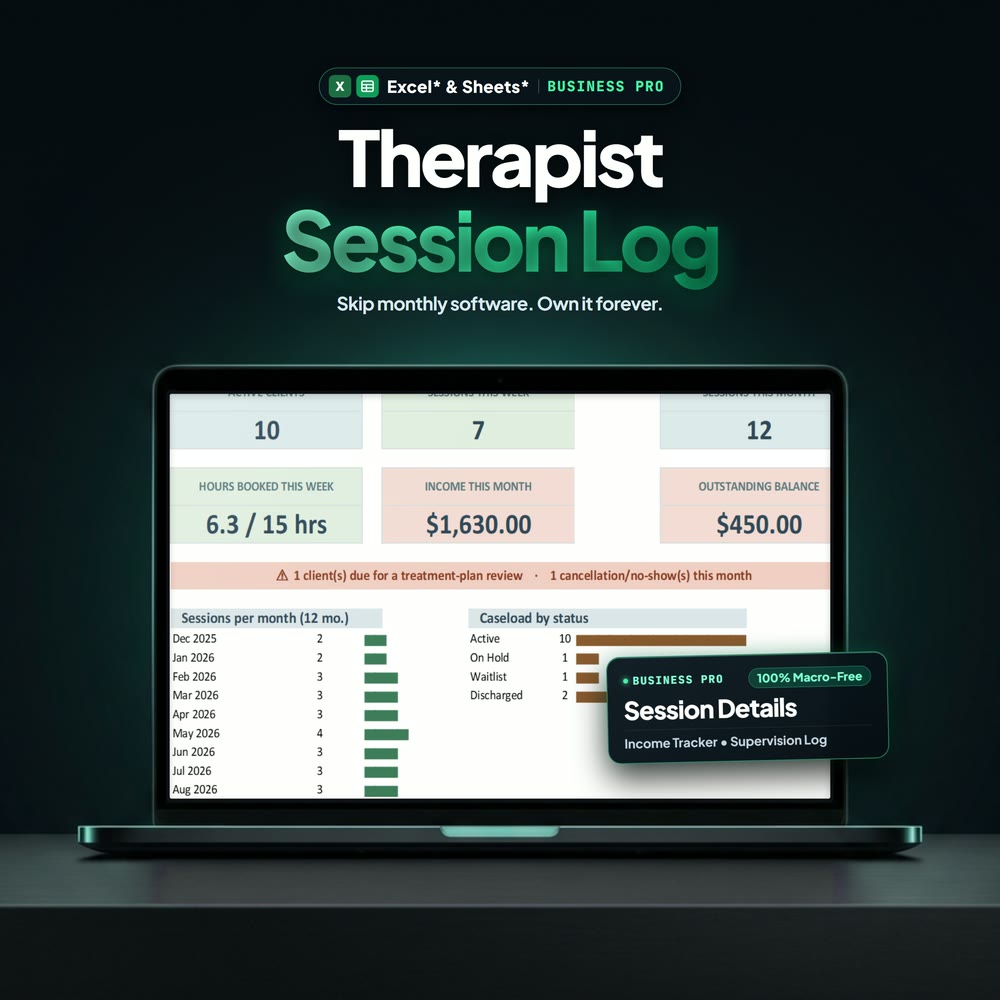
Manage your private practice caseload, weekly slot capacity, session notes, and unpaid client balances in one place.