Money & finance
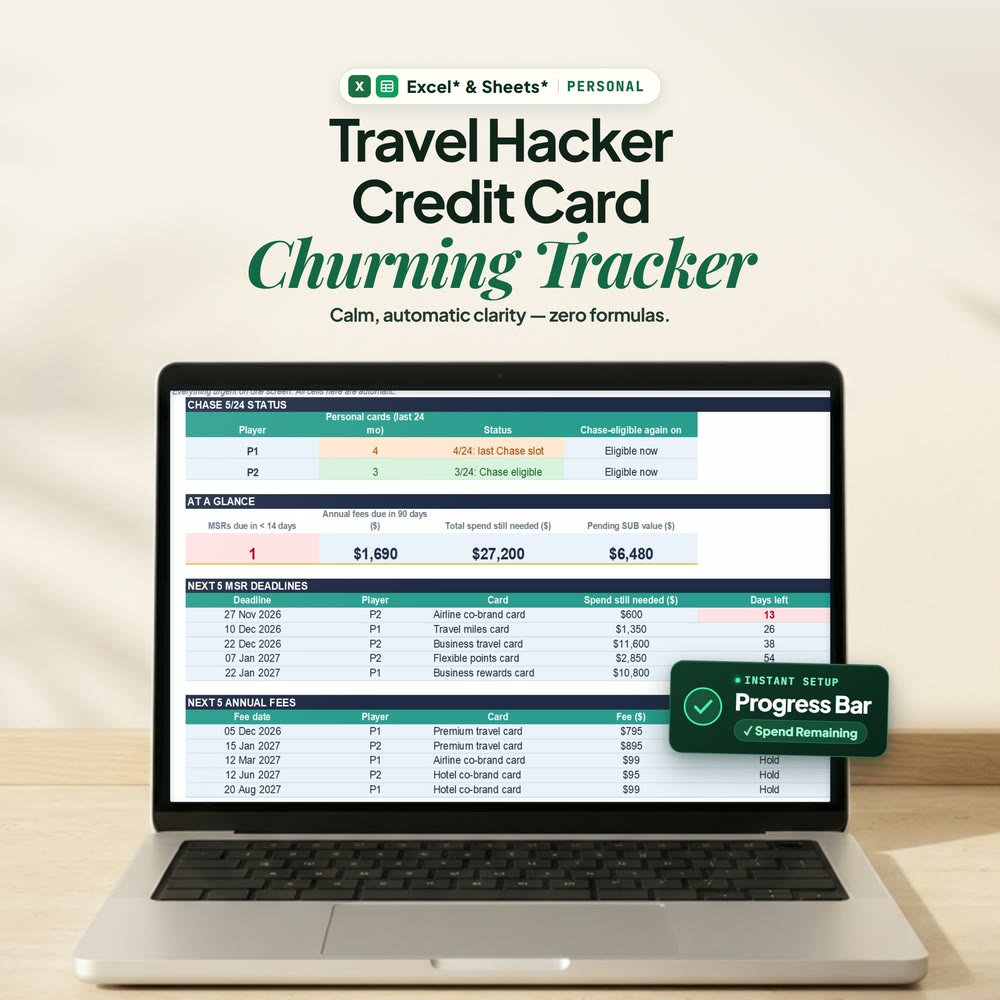
Travel Hacker Credit Card Churning Tracker
Track Player 1 & Player 2 welcome bonus spend deadlines, Chase 5/24 status, annual fee renewals, and cents-per-point redemptions.
$14.99
Zero-Based Budget Spreadsheet
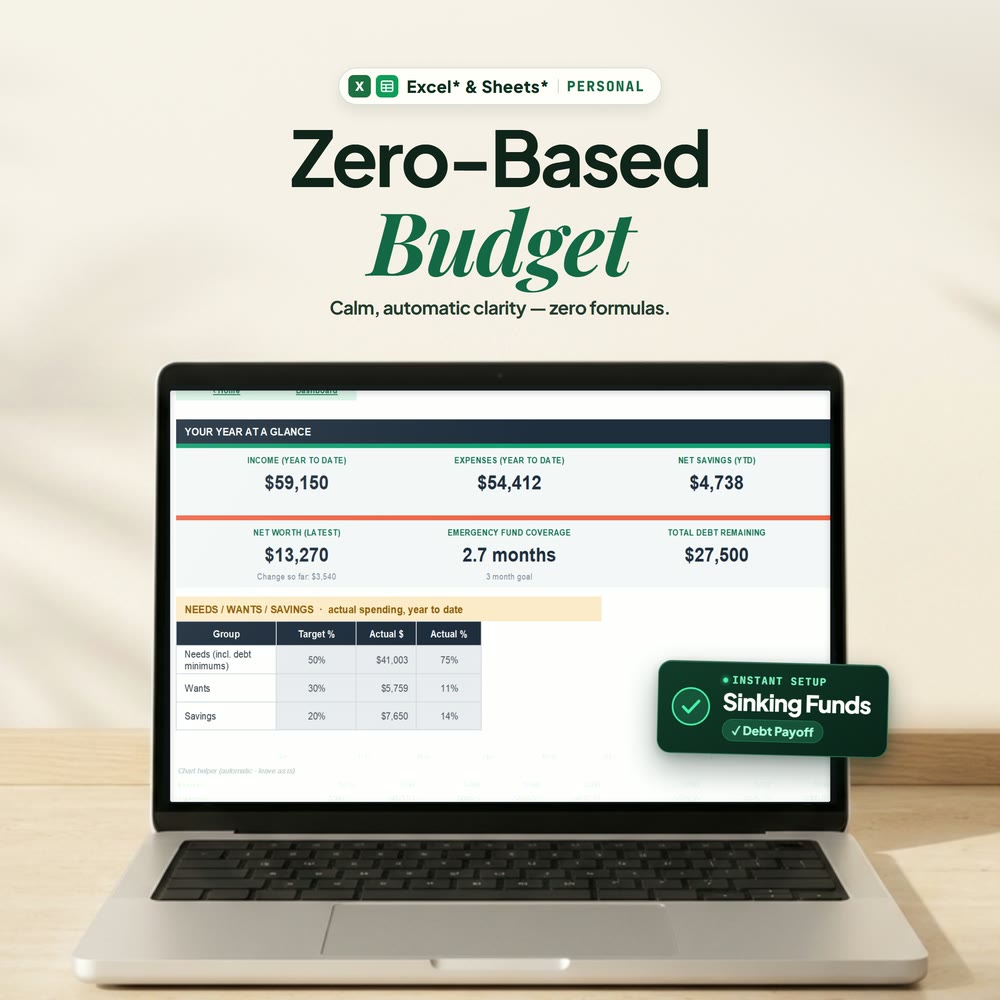
Assign 100% of your income across Needs, Wants, Savings, and Debt, adjust individual months for holidays or annual bills, and build dedicated Sinking Funds for future expenses.
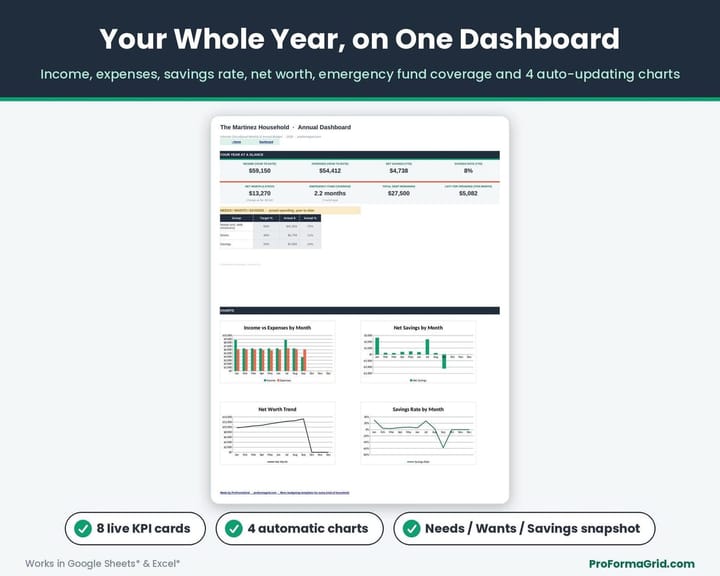
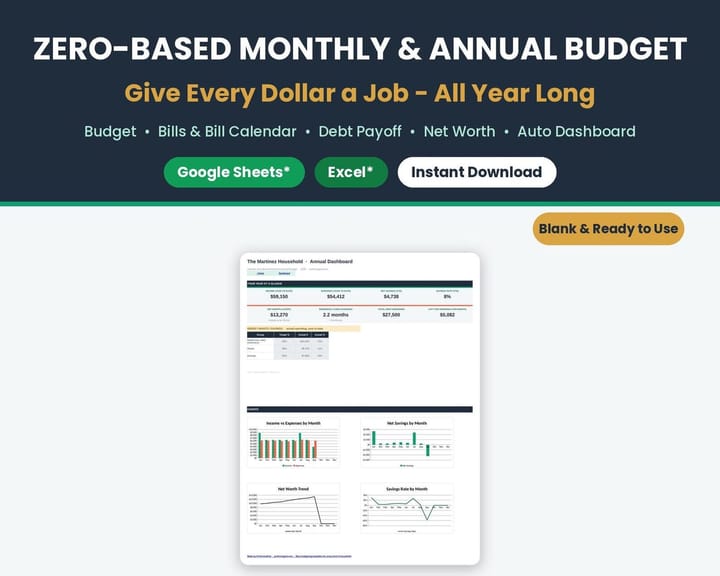
Live workbook preview — pre-built formulas, charts, and formatting included.
Excel* & Google Sheets*
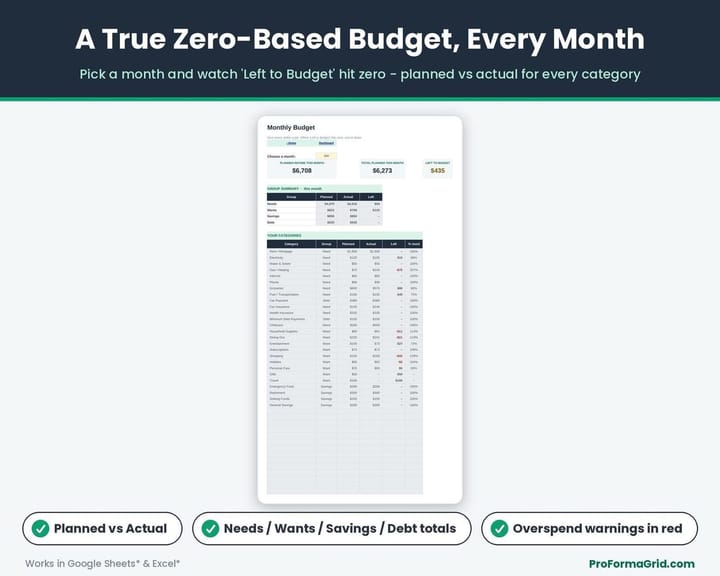
Set your default monthly category targets on Settings and fine-tune high-spend months on the Annual Plan. Each month, allocate your income until Left to Budget hits $0, log transactions as they happen, and watch your Sinking Funds grow toward upcoming big-ticket goals.
01 Monthly Budget
Compare planned income against allocations for Needs, Wants, Savings, and Debt Payoff — and see planned vs. actual spending across every category.
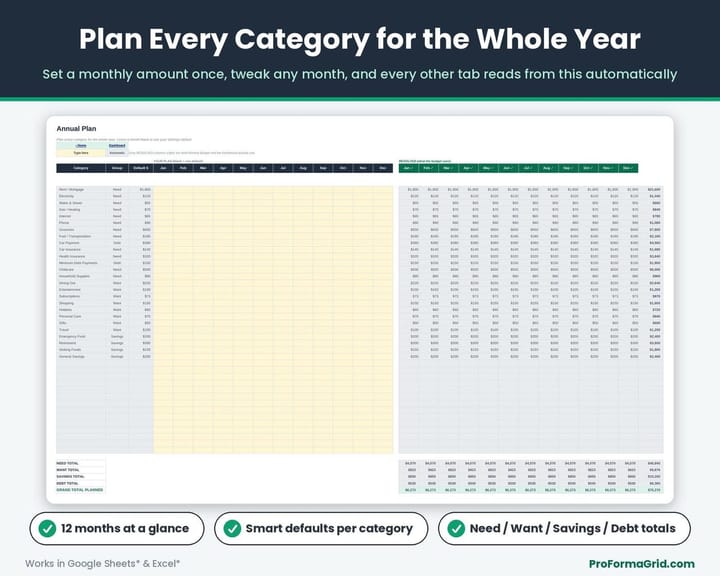
02 Annual Plan
Map out all 12 months on one grid where you can override individual months for holidays, tuition, or travel while keeping your baseline budget intact.
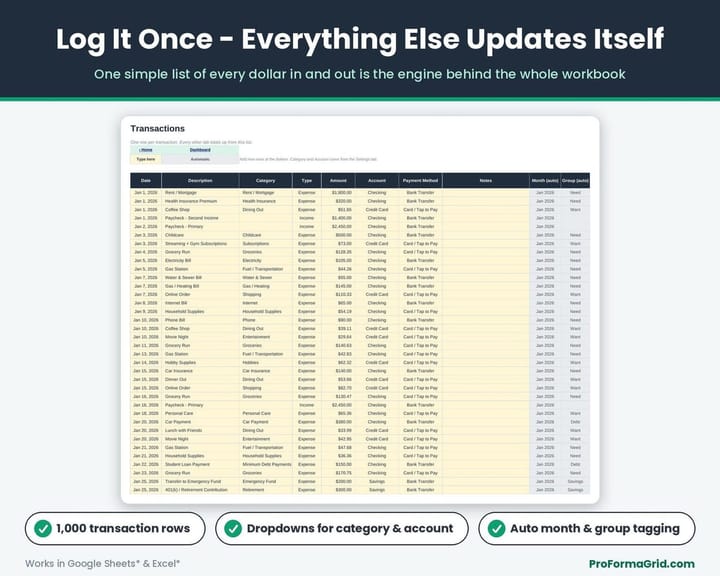
03 Transactions
Log daily income and expenses by category and account to automatically update actual spending bars across your monthly and annual views.
04 Sinking Funds
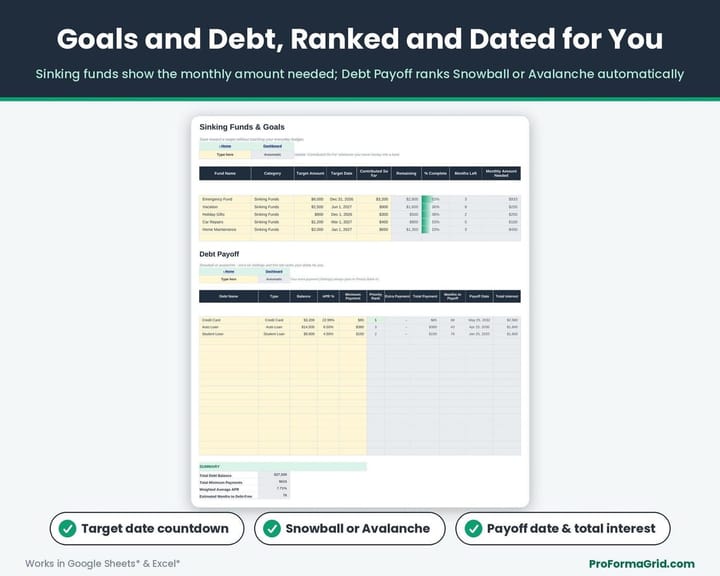
Set target amounts and deadlines for car repairs, vacations, Christmas, or property taxes to see the exact monthly transfer needed to be 100% funded on time.
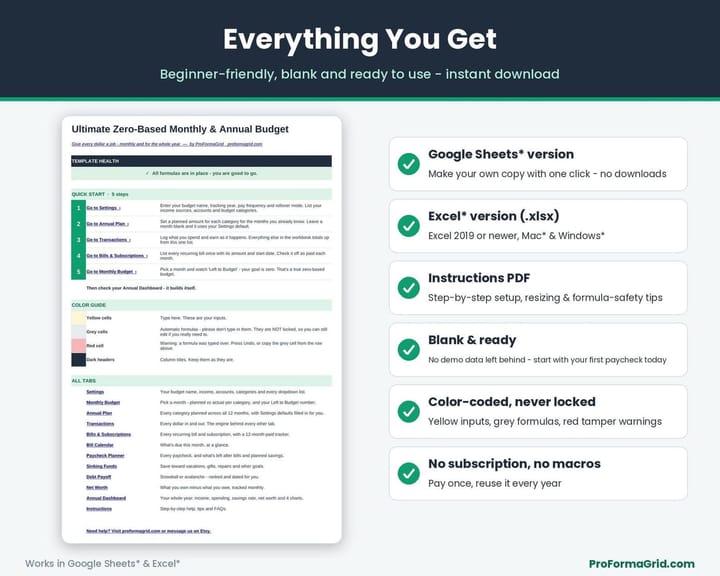
13 pre-built, interconnected worksheets included in both Excel* and Google Sheets*.
Excel* & Google Sheets* digital bundle — ready for instant use
Instant digital download — includes your ready-to-use Microsoft Excel* (.xlsx) workbook, one-click Google Sheets* copy link PDF, and step-by-step setup guide.
The Annual Plan grid lets you enter a custom amount for any category in a specific month while automatically using your default budget for every other month.
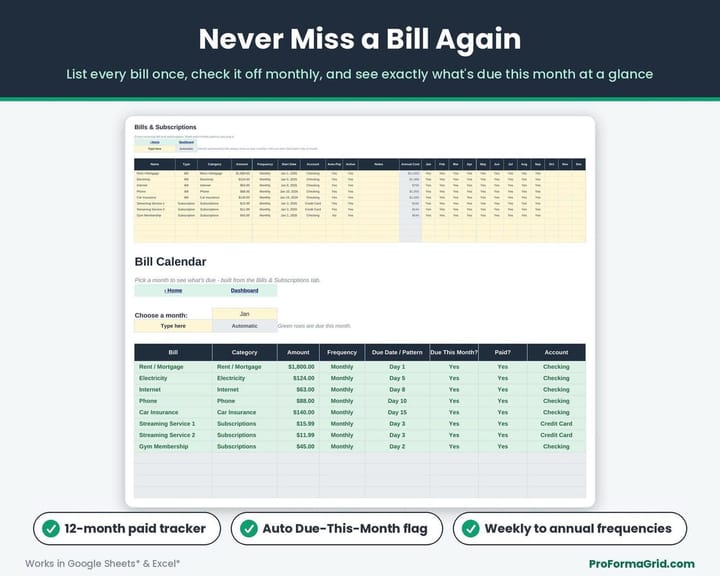
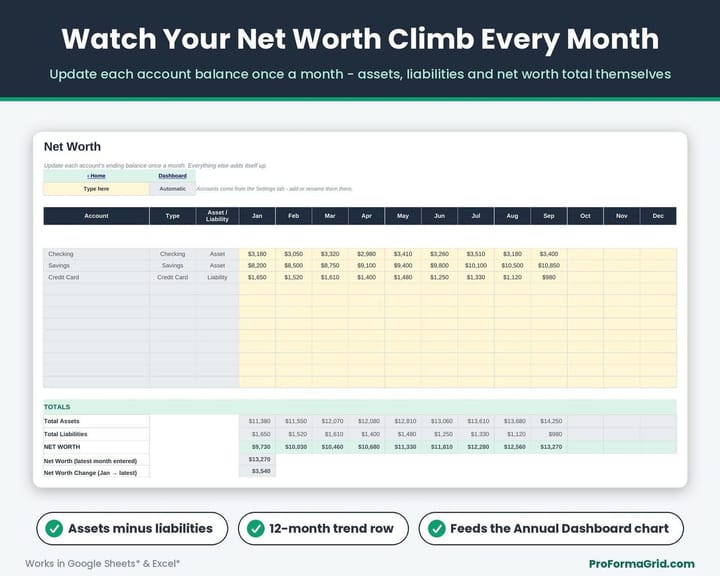
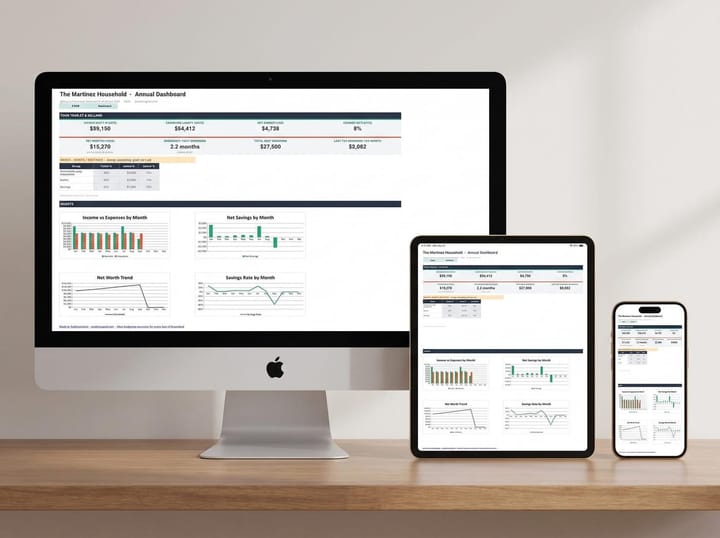
The Zero-Based Budget Spreadsheet includes ready-to-use files for both Excel & Google Sheets. Every formula, chart, dashboard, and all 13 connected worksheets (Start Here, Settings, Monthly Budget, Annual Plan, Transactions, Bills & Subscriptions, Bill Calendar, Paycheck Planner, Sinking Funds, Debt Payoff, Net Worth, Annual Dashboard, Instructions) are pre-built and ready the moment you open your file.
Zero-based budgeters giving every dollar a job across monthly expenses, debt payoff, sinking funds, and net worth. Set your default monthly category targets on Settings and fine-tune high-spend months on the Annual Plan. Each month, allocate your income until Left to Budget hits $0, log transactions as they happen, and watch your Sinking Funds grow toward upcoming big-ticket goals.
It is a 100% one-time purchase ($14.99 USD) with lifetime personal or internal business use — zero recurring subscription fees, zero locked cells, and no add-ons required.
Immediately. Your download links appear right on your private order confirmation page seconds after checkout via credit card, Apple Pay, or Google Pay. Bookmark your order page to re-download anytime.
Excel*, Google Sheets* and YouTube* are trademarks of their respective owners.
Track Player 1 & Player 2 welcome bonus spend deadlines, Chase 5/24 status, annual fee renewals, and cents-per-point redemptions.
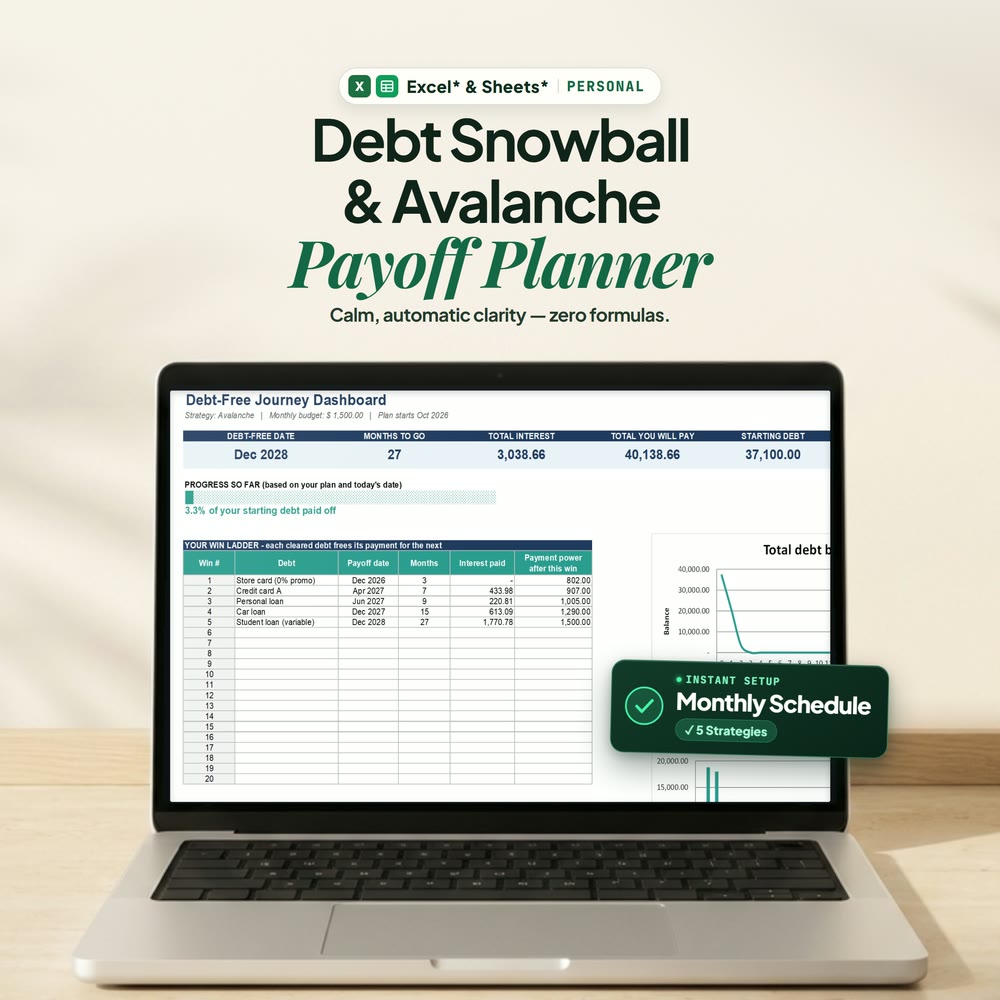
Compare Snowball vs. Avalanche payoff dates across up to 20 debts — including promotional APR expirations and extra payments.
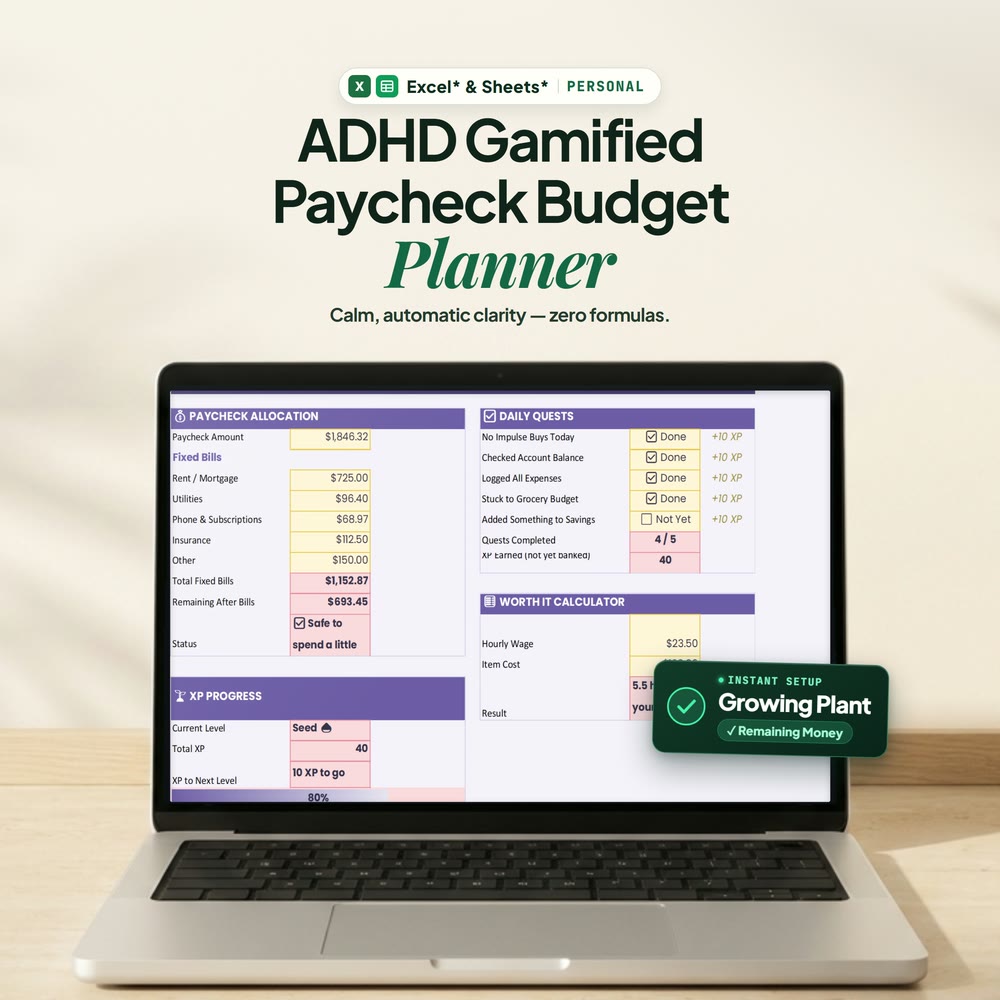
Budget one paycheck at a time, earn XP for 5 daily money habits, and park tempting buys in a 48-hour Impulse Vault.
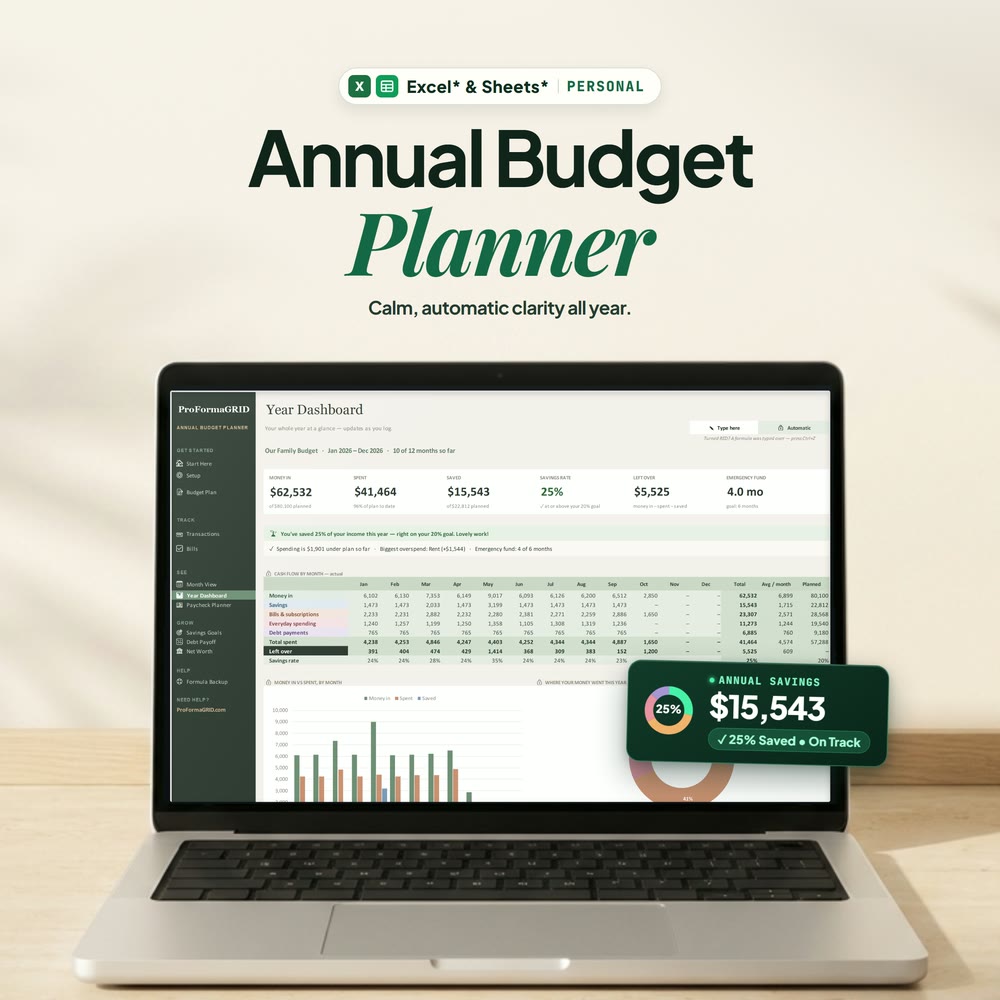
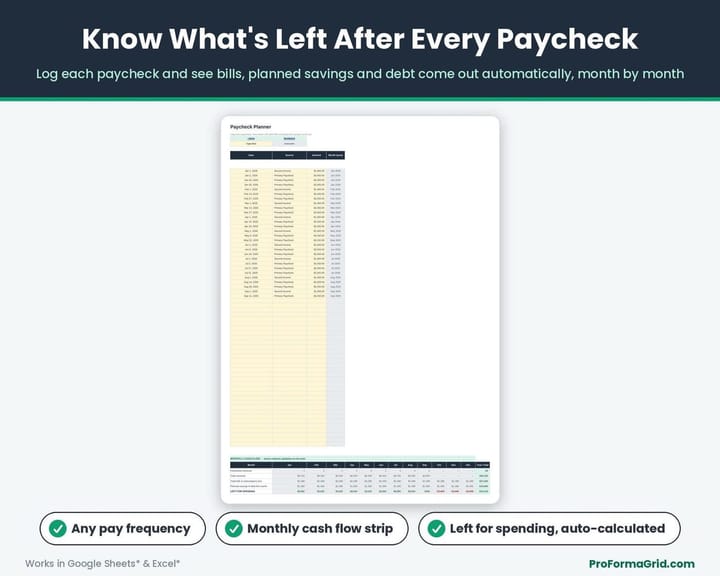
Plan your entire year once, track monthly cash flow, and assign every bill to the exact paycheck that covers it.