Real estate & rentals
Land Development Pro Forma Spreadsheet
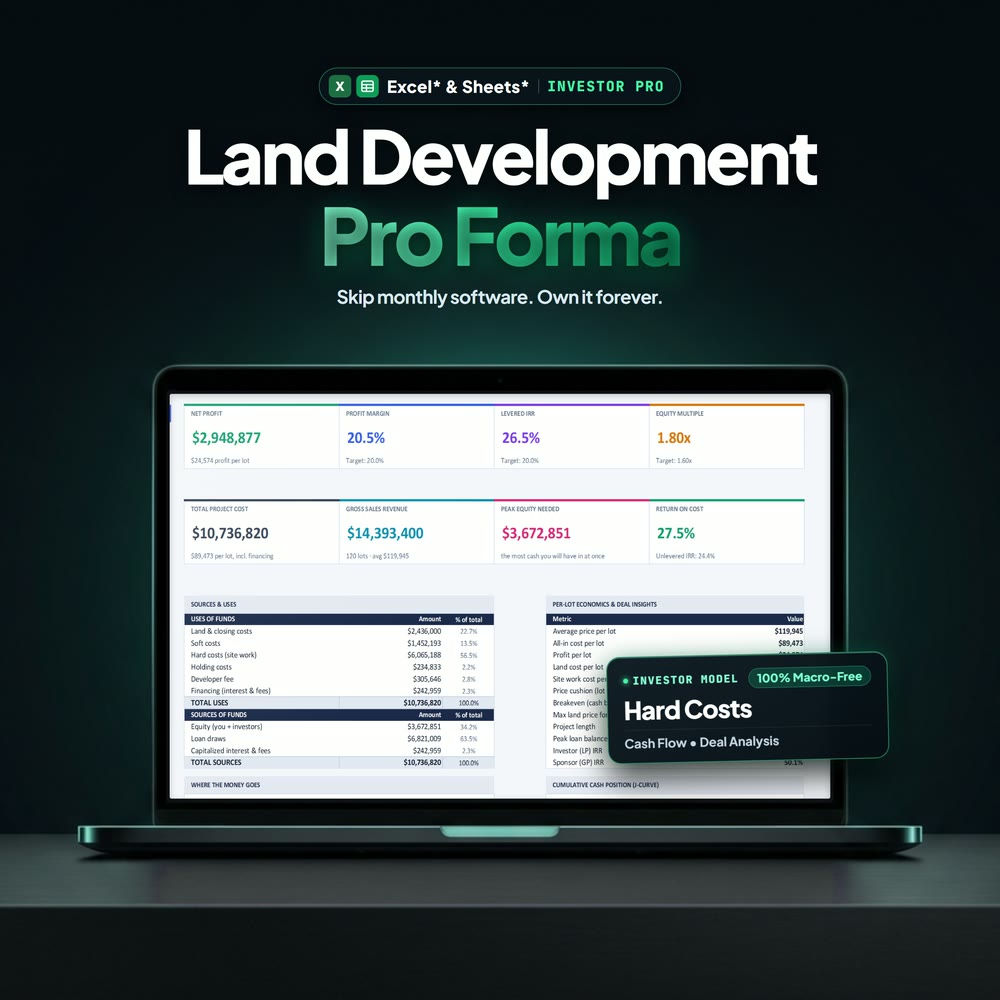
Institutional 72-month horizontal subdivision model with 4 phases, 8 lot types, construction debt & IRR sensitivity.
$34.99
Rental Portfolio Command Center
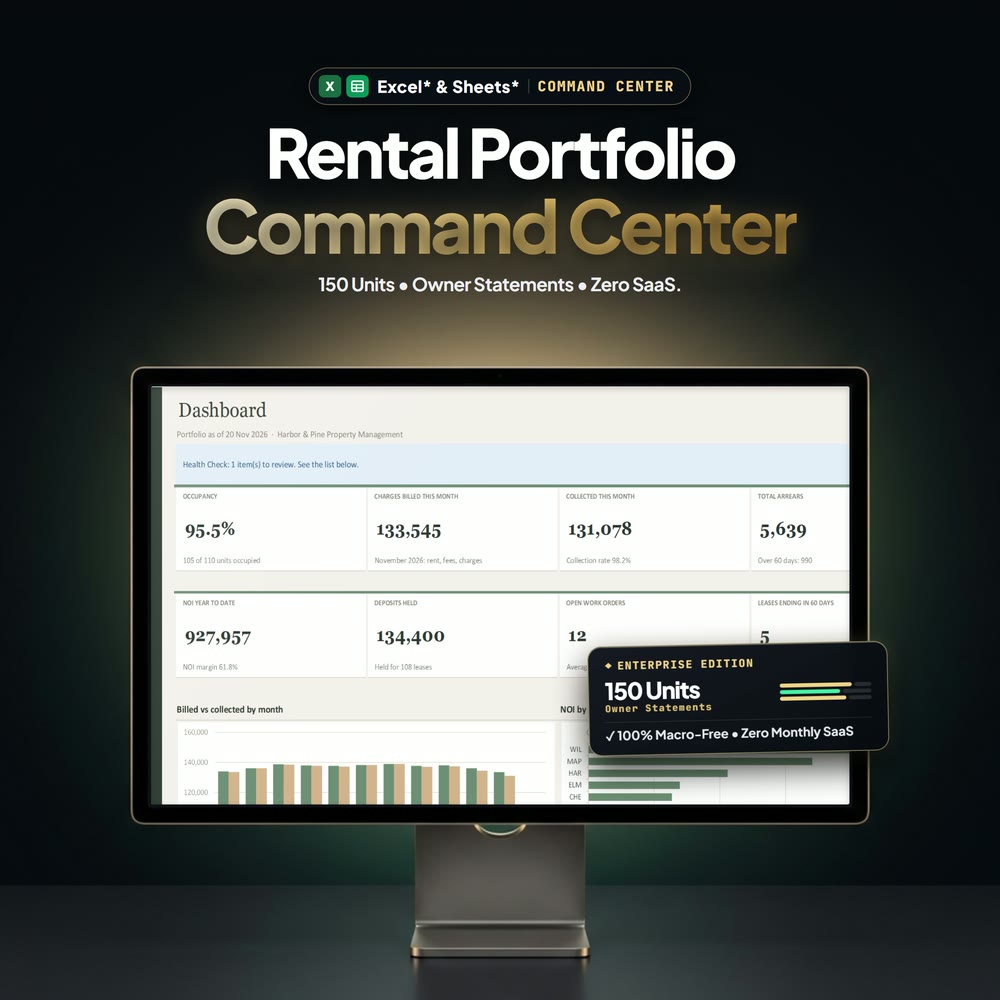
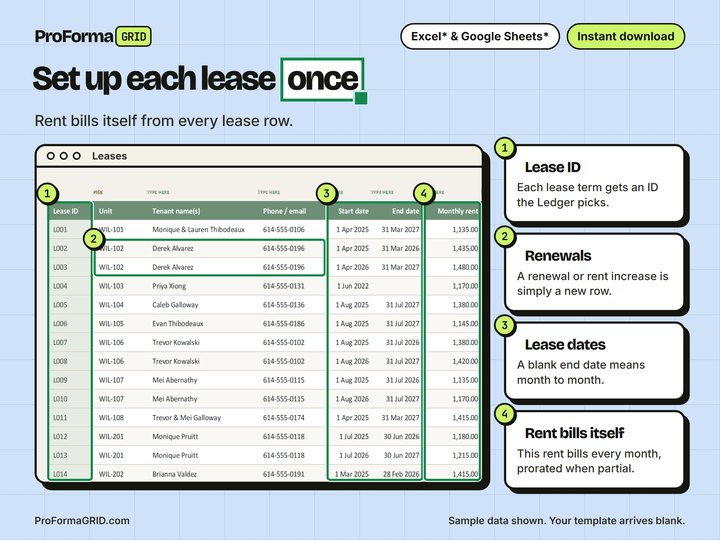
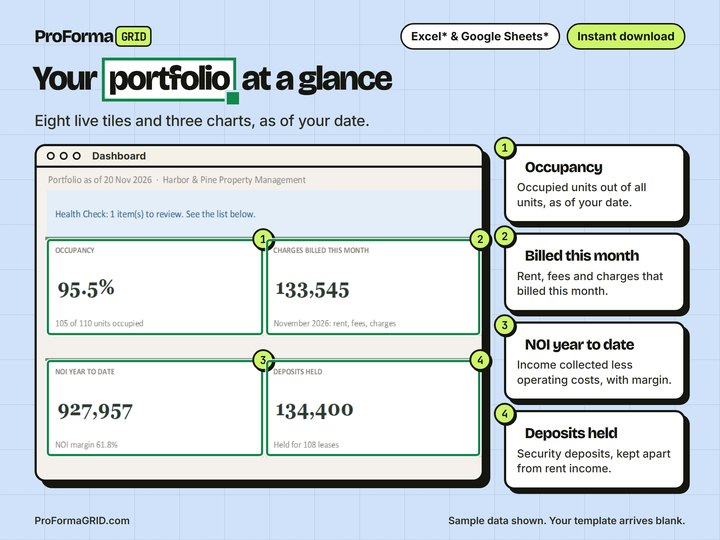
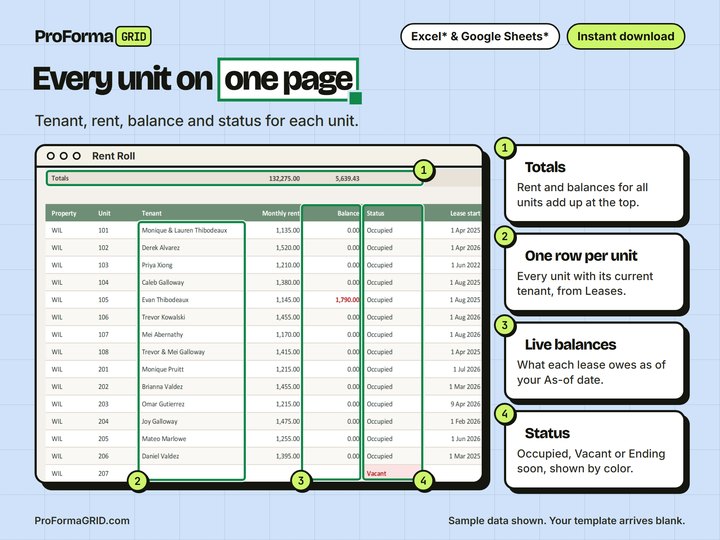
Set up owners, properties, units and leases once, and each lease bills its rent every month. You log payments, extra charges, deposits and bills as they happen, and the workbook works out tenant balances, arrears aging, late fees, deposits held apart from income, NOI per property and owner statements. One calendar year per file, with no macros.
Live workbook preview — pre-built formulas, charts, and formatting included.
Excel* & Google Sheets*
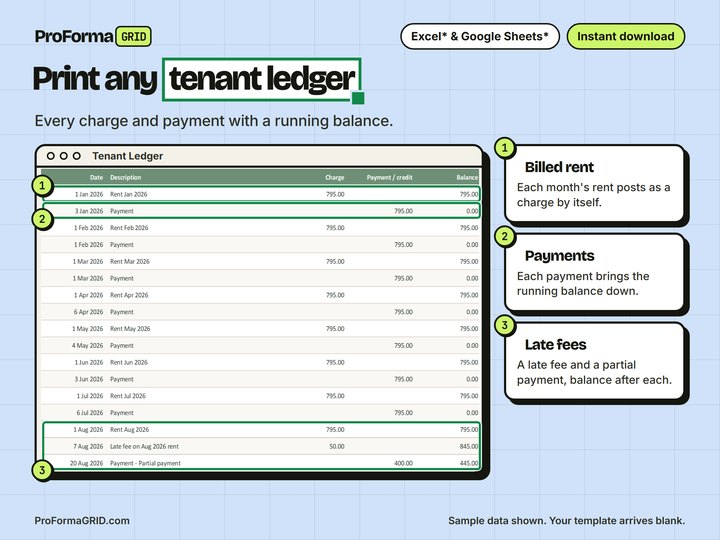
On Settings, type your company name, tax year, As-of date, late-fee rule, management fee and deposit return days, then fill in Owners, Properties, Units and Leases with one row each. On the Ledger, carry in deposits you already hold and log payments, credits, extra charges and deposit moves, and log every bill on Expenses, Work Orders and Assets & Depreciation. Each month, update the As-of date, review Late Fees and Aging, and print a Tenant Ledger for any lease you need to discuss. Pick an owner and month on Owner Statement to send the payout, and check Deposits and Leasing & Vacancy for refunds and leases ending soon. At year end, hand the Schedule E Summary and asset register to your preparer and carry balances and deposits into a new file.
01 Aging
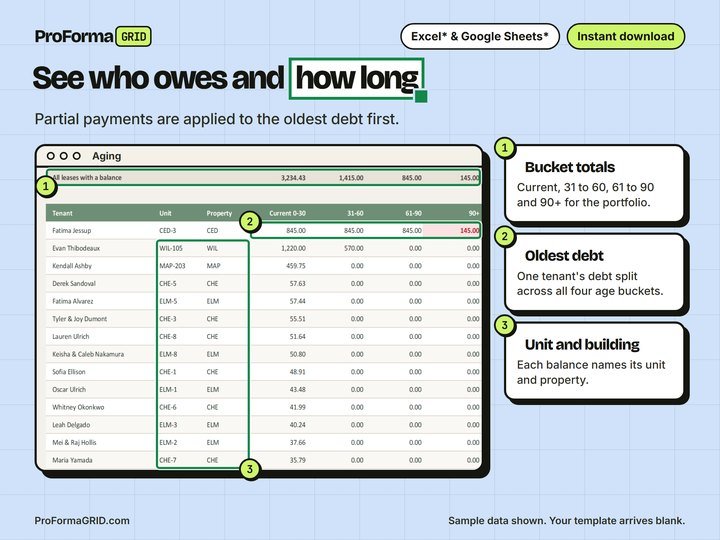
Every lease with a balance is split into current, 31-60, 61-90 and 90+ days, with partial payments applied to the oldest charge first. A follow-up note shows who needs a call.
02 Late Fees
Grace days, a flat fee or percent of rent, a monthly cap and a minimum balance, with overrides per property and per lease. Charge fees automatically or only list them for you to post.
03 Owner Statement
For any owner and month, each property shows rent collected, other income, expenses paid, management fee, reserve kept and net to owner, plus the year to date.
04 Property P&L
Gross scheduled rent, vacancy loss, rent collected, expenses by line, NOI, interest, principal and cash flow for one property or all. Capital improvements stay out of NOI.
22 pre-built, interconnected worksheets included in both Excel* and Google Sheets*.
Excel* & Google Sheets* digital bundle — ready for instant use
Instant digital download: your Microsoft Excel* (.xlsx) workbook, a one-click Google Sheets* copy link PDF and a step-by-step instructions PDF.
No. Each lease row bills its monthly rent and fees by itself, prorated for move-in and move-out months if you turn proration on. You type only payments, credits, extra charges and deposit moves on the Ledger.
Log the amount as a Payment. Aging applies it to the oldest charge first, and the Tenant Ledger shows the new balance.
No. Deposits received and refunded change only the deposit register. Only a "Deposit applied to balance" row lowers the tenant's balance and counts as other income.
Add a new lease row for the same unit that starts the day after the old lease ends.
No. It is organized like Schedule E Part I to help you or your preparer. Depreciation is a straight line estimate and does not cover MACRS tables, bonus depreciation or Section 179.
Yes. The included PDF has a link to make your own Google Sheets copy with a free Google account. The file uses classic formulas and has no macros.
The Rental Portfolio Command Center includes ready-to-use files for both Excel & Google Sheets. Every formula, chart, dashboard, and all 22 connected worksheets (Start Here, Settings, Owners, Properties, Units, Leases, Ledger, Expenses, Work Orders, Assets & Depreciation, Rent Roll, Tenant Ledger, Aging, Late Fees, Deposits, Property P&L, Owner Statement, Schedule E Summary, Leasing & Vacancy, Dashboard, Instructions, Health Check) are pre-built and ready the moment you open your file.
Professionals, business owners, and individuals looking for a ready-to-use rental portfolio command center in Microsoft Excel and Google Sheets. On Settings, type your company name, tax year, As-of date, late-fee rule, management fee and deposit return days, then fill in Owners, Properties, Units and Leases with one row each. On the Ledger, carry in deposits you already hold and log payments, credits, extra charges and deposit moves, and log every bill on Expenses, Work Orders and Assets & Depreciation. Each month, update the As-of date, review Late Fees and Aging, and print a Tenant Ledger for any lease you need to discuss. Pick an owner and month on Owner Statement to send the payout, and check Deposits and Leasing & Vacancy for refunds and leases ending soon. At year end, hand the Schedule E Summary and asset register to your preparer and carry balances and deposits into a new file.
It is a 100% one-time purchase ($69.99 USD) with lifetime personal or internal business use — zero recurring subscription fees, zero locked cells, and no add-ons required.
Immediately. Your download links appear right on your private order confirmation page seconds after checkout via credit card, Apple Pay, or Google Pay. Bookmark your order page to re-download anytime.
Excel*, Google Sheets* and YouTube* are trademarks of their respective owners.
Institutional 72-month horizontal subdivision model with 4 phases, 8 lot types, construction debt & IRR sensitivity.
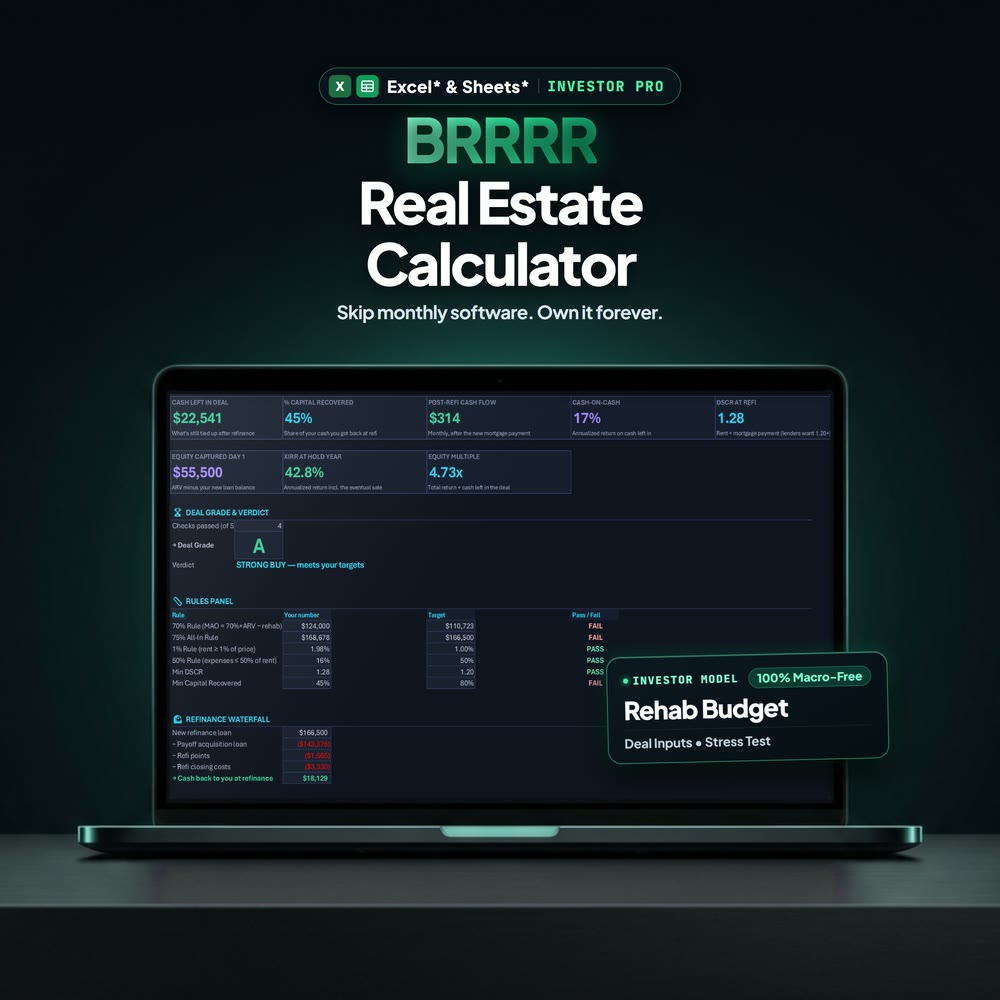
Know how much capital you pull out at refinance — and what the rental cash flows — before you make an offer.
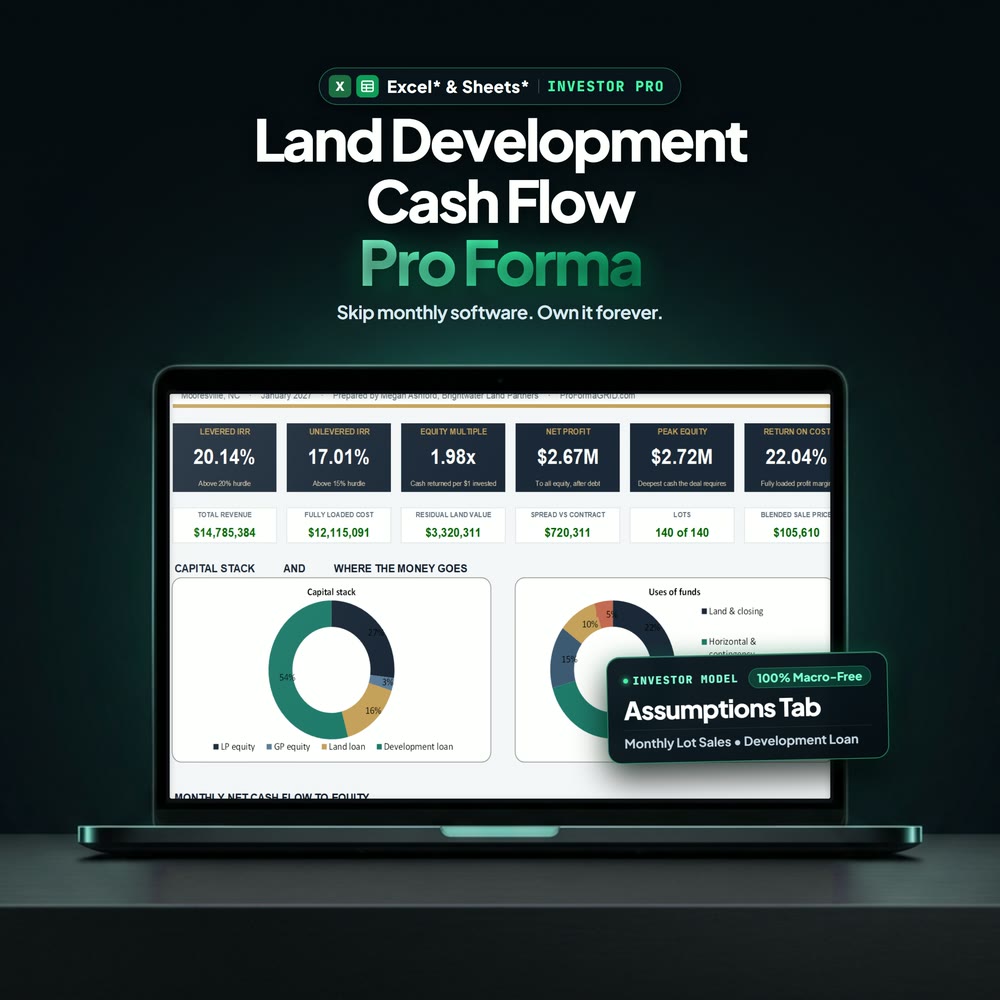
Model 60 months of phased lot sales, peak equity needs, construction financing, and LP/GP joint-venture waterfalls.
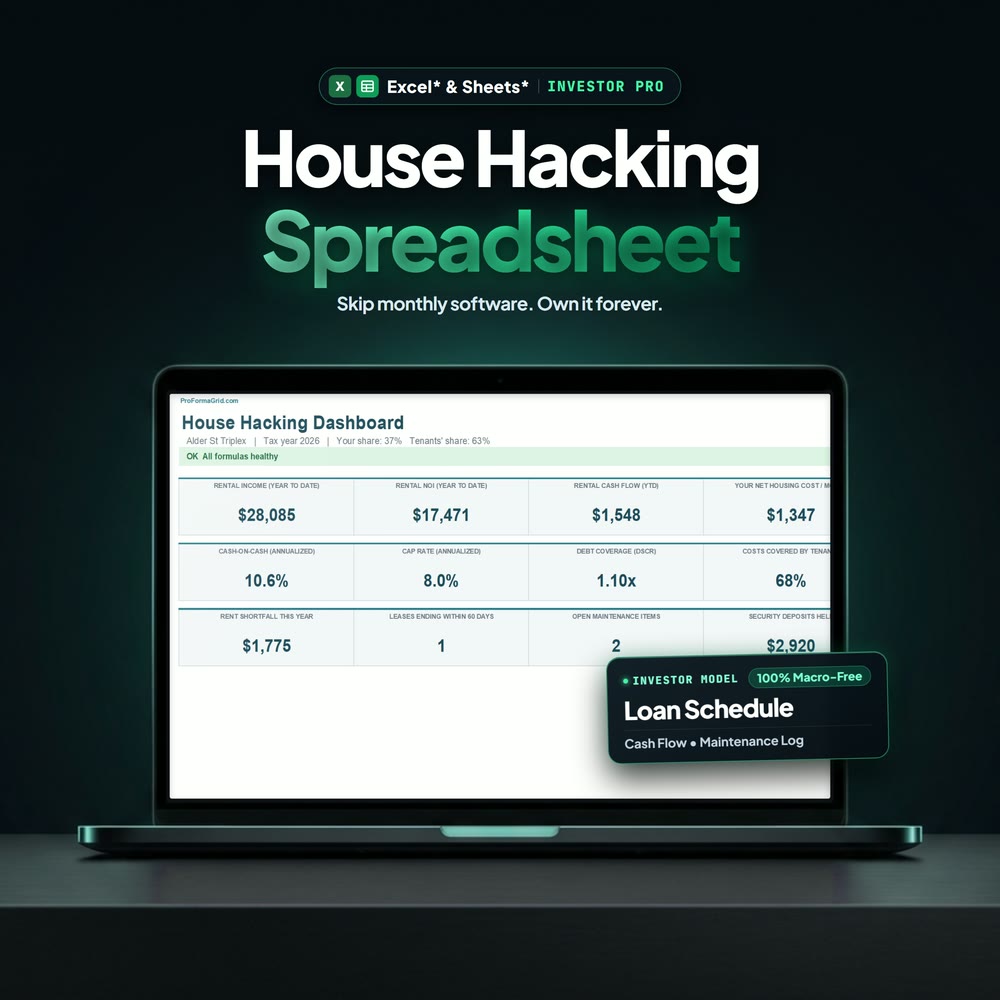
See how much of your mortgage your tenants cover today — and model what happens when you move out or a unit sits vacant.