Projects & habits
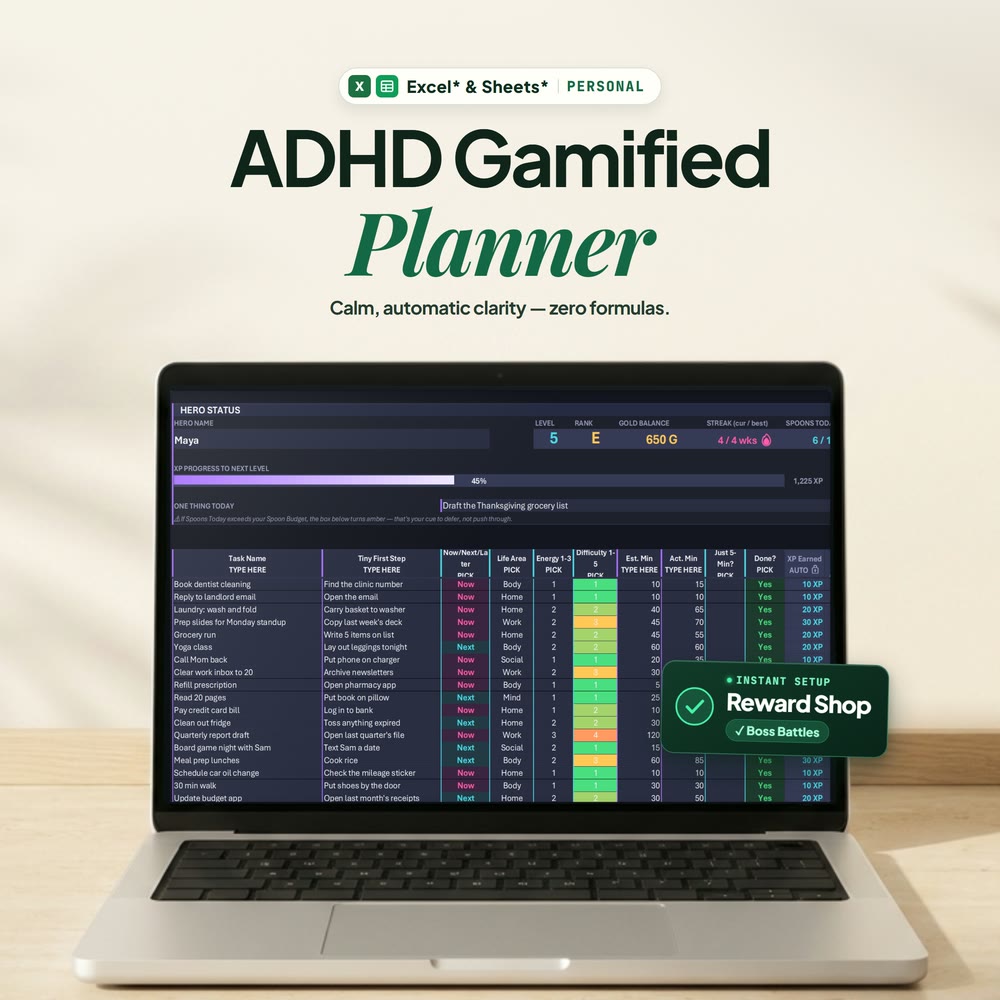
ADHD Gamified Planner
Turn overwhelming to-do lists into rewarding daily quests, XP level-ups, 8-step boss battles, and a Dopamine Menu.
$15.99
Project Management Template
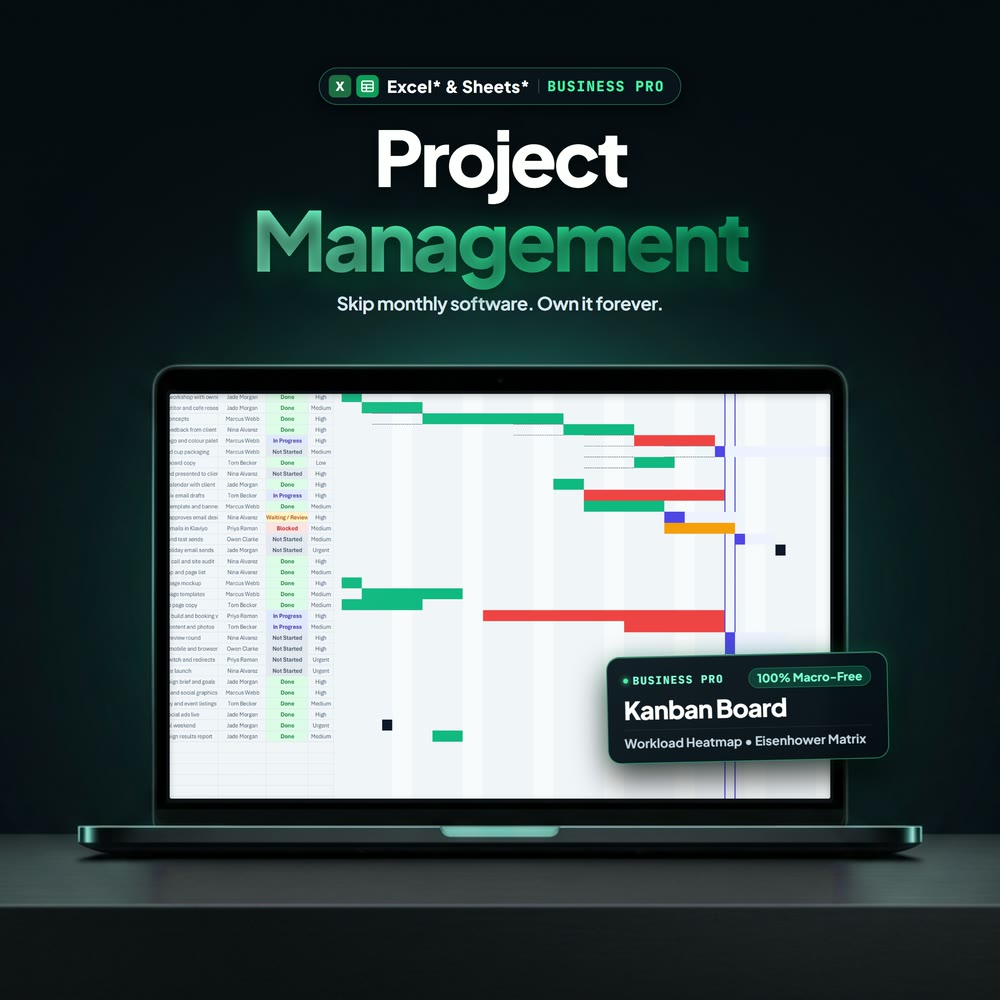
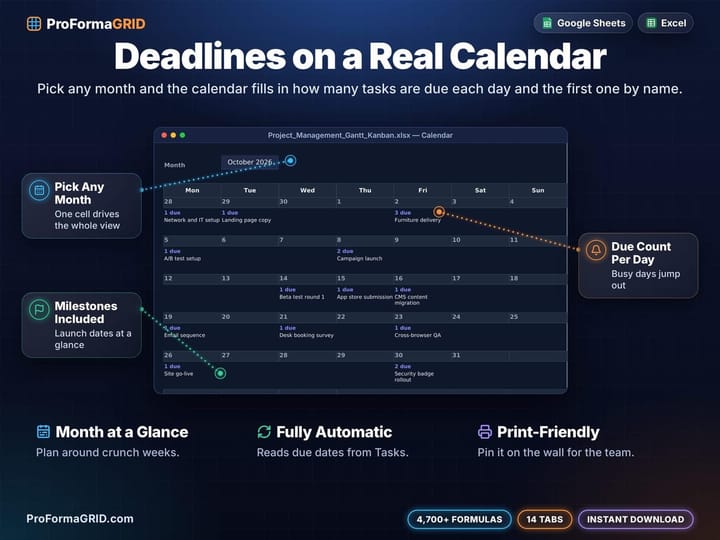
Manage tasks, owners, and dependencies in one central list that automatically drives your Gantt timeline, 5-lane Kanban board, and weekly team workload heatmap.
Live workbook preview — pre-built formulas, charts, and formatting included.
Excel* & Google Sheets*
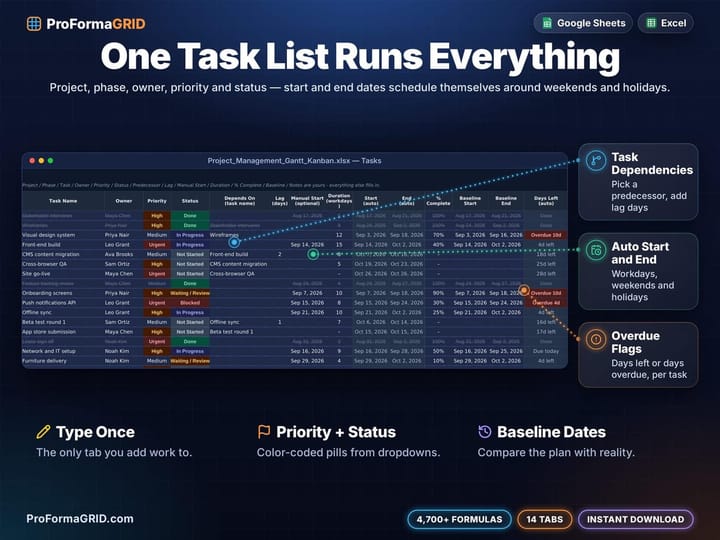
Enter your projects, task owners, durations, and dependencies on the Tasks sheet — including your custom workweek and holidays. Your Gantt Timeline, Kanban Board, and Workload Heatmap update automatically so you can spot bottlenecks and overloaded teammates before deadlines slip.
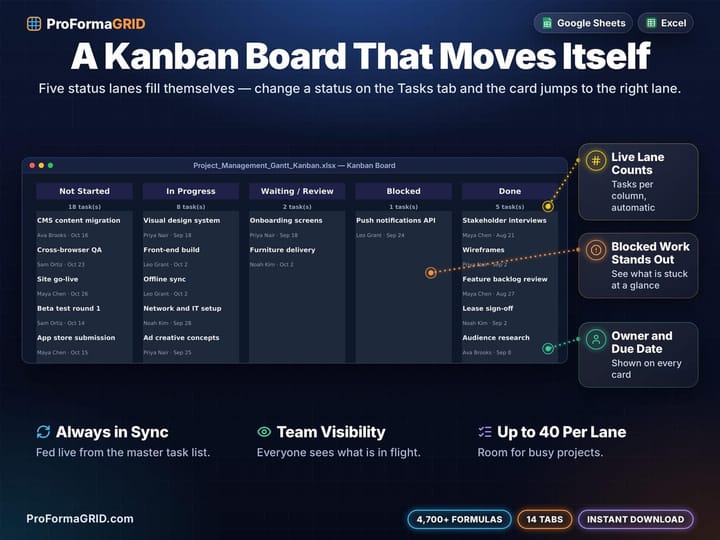
01 Kanban Board
See task counts and cards organized across five workflow stages that update automatically whenever a task status changes in your master list.
02 Gantt Timeline
Switch between daily, weekly, and monthly timeline scales and filter by project or team member to see exactly how tasks line up.
03 Tasks
Assign owners, priorities, durations, and predecessor tasks while the workbook automatically calculates start and finish dates around weekends and holidays.
04 Workload Heatmap
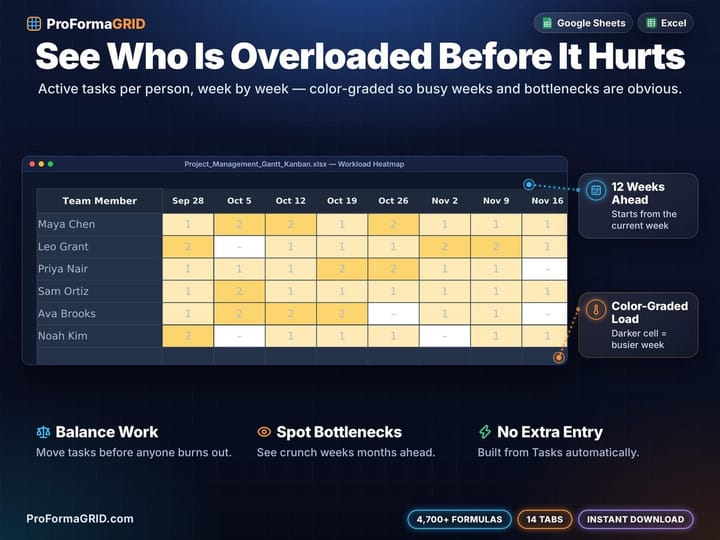
View active task counts by team member across upcoming weeks with color-coded shading that highlights exactly who is overloaded and who has bandwidth.
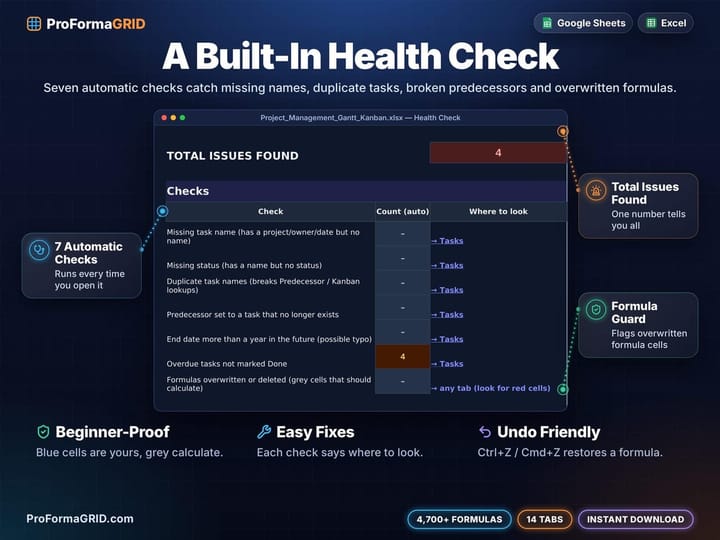
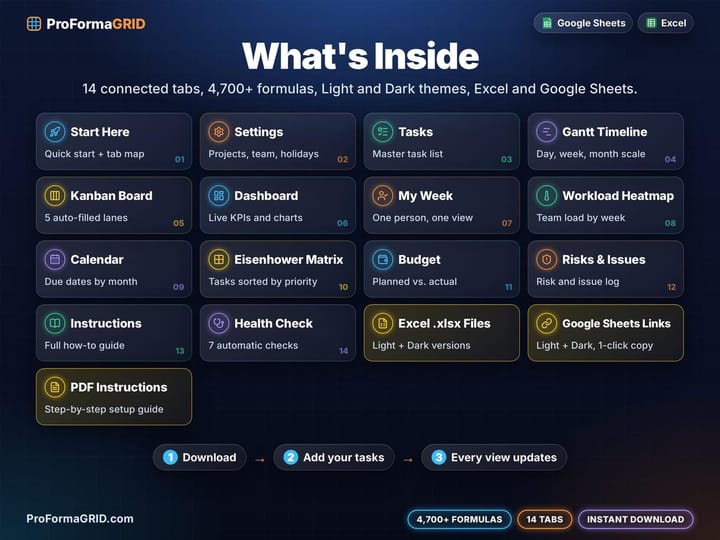
14 pre-built, interconnected worksheets included in both Excel* and Google Sheets*.
See how Project Management Template works in action before you buy.
Watch on YouTube* ↗Excel* & Google Sheets* digital bundle — ready for instant use
Instant digital download — includes your ready-to-use Microsoft Excel* (.xlsx) workbook, one-click Google Sheets* copy link PDF, and step-by-step setup guide.
Simply change the task’s status dropdown on the Tasks sheet — the Kanban Board automatically moves the card into its new status lane.
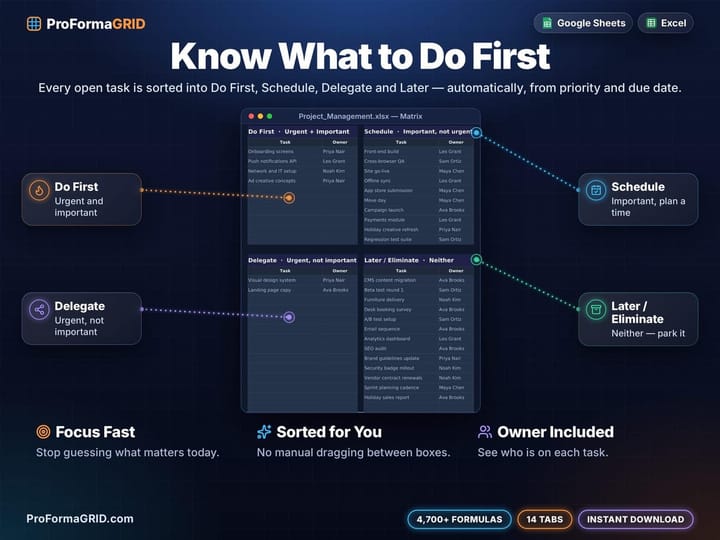
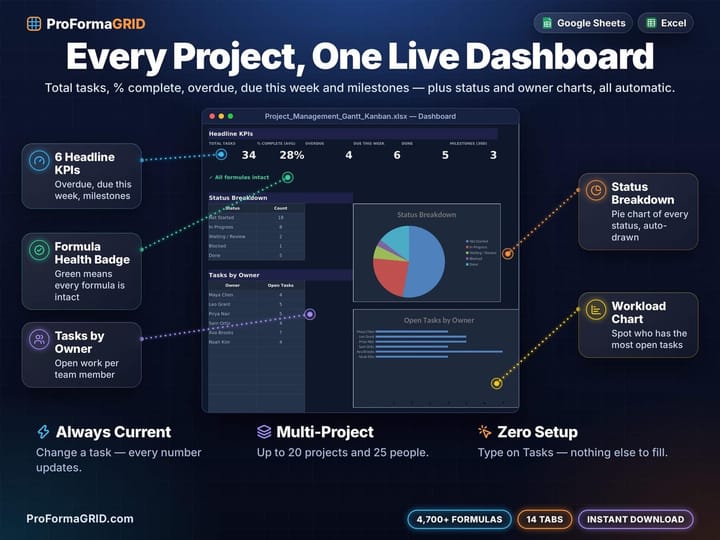
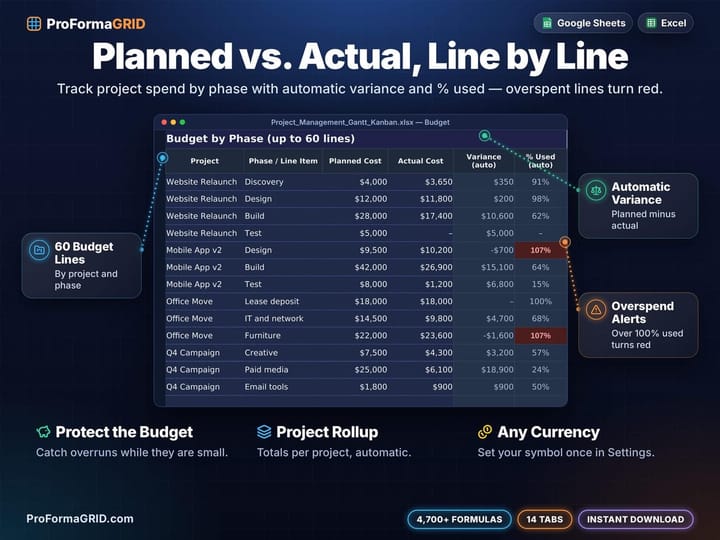
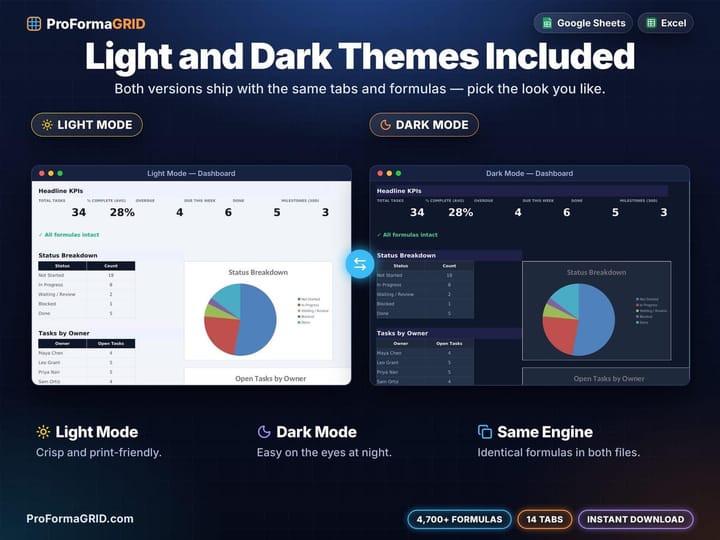
The Project Management Template includes ready-to-use files for both Excel & Google Sheets. Every formula, chart, dashboard, and all 14 connected worksheets (Start Here, Settings, Tasks, Gantt Timeline, Kanban Board, Dashboard, My Week, Workload Heatmap, Calendar, Eisenhower Matrix, Budget, Risks & Issues, Instructions, Health Check) are pre-built and ready the moment you open your file.
Project managers, agencies, and small teams coordinating tasks with Gantt timelines, Kanban boards, and workload dashboards. Enter your projects, task owners, durations, and dependencies on the Tasks sheet — including your custom workweek and holidays. Your Gantt Timeline, Kanban Board, and Workload Heatmap update automatically so you can spot bottlenecks and overloaded teammates before deadlines slip.
It is a 100% one-time purchase ($19.99 USD) with lifetime personal or internal business use — zero recurring subscription fees, zero locked cells, and no add-ons required.
Immediately. Your download links appear right on your private order confirmation page seconds after checkout via credit card, Apple Pay, or Google Pay. Bookmark your order page to re-download anytime.
Excel*, Google Sheets* and YouTube* are trademarks of their respective owners.
Turn overwhelming to-do lists into rewarding daily quests, XP level-ups, 8-step boss battles, and a Dopamine Menu.